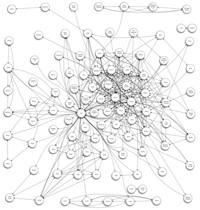
The folks at Omni got a mysterious gift via email the other day: a script that hunts through an iPhoto database for Faces, and relationships between them.
Then it takes what it’s found and spits out an OmniGraffle document showing which people appear in photos together. The result is this weird spidery diagram.
Judging by the comments, some people have had problems getting the script (created by Armin Briegel) working. An updated version has been posted, though, so it might still be worth a try if you have OmniGraffle installed.
This is a neat little trick, so I wonder how long it will be before we get something like this functionality inside iPhoto. After all, it’s already possible to use Places as a criterion for creating Smart Folders – with any luck, a future update will add Faces to that list. Then it would be possible to create Smart Folders that contain two or more particular people.

Giles Turnbull is a freelance writer in England. He also writes for the Press Association and The Morning News. You can find out more at his website, and follow him on Twitter @gilest.

