New MacBook Pro EFI Firmware Update For Mid 2010 Models Stops Rare Freezing

New MacBook Pro EFI Firmware Update For Mid 2010 Models Stops Rare Freezing

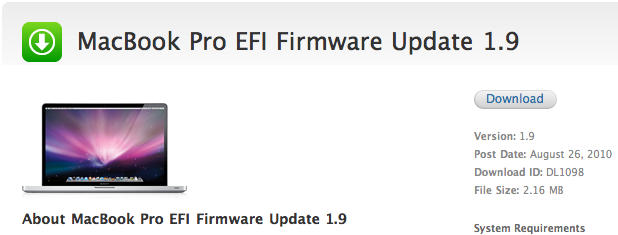
Got a current gen MacBook Pro that just won’t play nice with your external display, or has a tendency to freeze at starting line at the sound of the OS X boot chime? Apple has just updated the MacBook Pro EFI firmware to version 1.9.

The new firmware resolves issues where a mid 2010 15- or 17-inch MacBook Pro might freeze during startup or sometimes stall during day-to-day use. In addition, the update clears up some issues hooking your MBP up to certain external displays.

Anyone out there have one of the afflicted models who can give us a first-hand report on whether or not the latest update solves the problem? Hit us up in the comments.

DON'T MISS
Apple Provides Firmware Fix for 17″ MBP Graphics Issues

[via 9to5Mac]

About the author

John BrownleeJohn Brownlee is news editor here at Cult of Mac, and has also written about a lot of things for a lot of different places, including Wired, Playboy, Boing Boing, Popular Mechanics, Gizmodo, Kotaku, Lifehacker, AMC, Geek and the Consumerist. He lives in Cambridge with his charming inamorata and a tiny budgerigar punningly christened after Nabokov's most famous pervert. You can follow him here on Twitter.

(sorry, you need Javascript to see this e-mail address)| Read more posts by .

Posted in MacBook Pro, News |

  • Arya

    I have BTO (hi-res) 2010 entry level 15″ i5 MBP (MC371), bought early july. The update says that my MBP doesnt need it. I have never used external display with it (not yet). So, the update is not for all i5-i7 mid 2010 MBPs?

  • Jon

    I have a 4 month old 13″ MBP. Recently bought a Samsung 23″ connected with HDMI. The screen clarity is lousy. Any fixes for it?

  • Morgan

    I got a 15 MBP as a graduation gift and loved it. Then it started stalling more than 5 times a day, and would fall asleep and never wake up until I had to hard reboot it. I was ticked, and took it to the apple store but they didnt know what was wrong. So I left it, they ran some test, gave it back and claimed they couldnt ‘replicate the problem’. It froze as soon as I got home. I’m glad the update came out, and so far so good. I love my MBP, it was just a pain.

  • Mark

    I have a 15″ I7 MBP (6,2) 2.66 purchased July 16, says it does not need the update…?

  • marduk

    I did the update (i7 15″, no troubles before) and now the machine is running about 2 times hotter than before. What the f*?!
    I’m using the smcFancontrol and gfxCardStatus, running on intel graphics. Haven’ tried with the nVidia graphics yet but I’m afraid it’s going to fry now.
    Any chances to downgrade the effing EFI?

    thanks.

  • http://myob.com pissedoff

    no improvement. still sucks! 3000US$ machine is a waste of money

  • Yee

    I purchased Macbook Pro GHz Intel Core i5 15″ a few months back. I downloaded this firmware but it doesnt seem to help. 3 weeks ago when i first downloaded it no freezing happened for 1 weeks or so. Recently the freezing came back. Please help.

  • craig roger

    why no fix for the same issue on the 13 inch???

