Latest Version of Camera+ Turns iPhone Volume Button Into Shutter Trigger

Latest Version of Camera+ Turns iPhone Volume Button Into Shutter Trigger

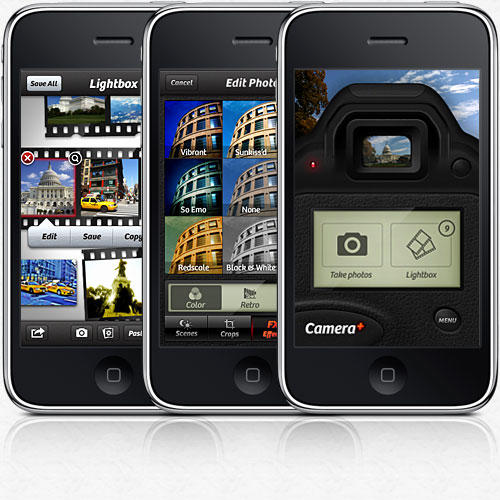
If you’re a true iPhone 4 shutterbug, you’ve probably expressed irritation at one point or another that the built-in Camera app doesn’t tie into a physical shutter button. If you act quick — real quick — Camera+ has you covered: they just added a feature that allows the app to take over the volume button to trigger a snap.

It’s a hidden feature, and when Apple gets wind of it, they’re going to pull Camera+, so if this is the sort of feature you’ve been looking for, download the latest version of the app and then type this URL into Mobile Safari to turn the feature on: camplus://enablevolumesnap. Turning it off is done the same way: camplus://disablevolumesnap.

What’s the point of this kind of functionality? Well, it can be particularly difficult to take a good picture with an iPhone if you’re taking a self-portrait, since it can be difficult to hit the shutter trigger button on the touchscreen when you can’t actually see it. Repurposing a volume button as a physical shutter button takes care of that problem nicely, but obviously, Apple’s worried about confusing users.

It makes me wonder why Apple doesn’t introduce a single physical shortcut button on the iPhone 4, which can be assigned to functionality in any application. I suppose it’s a slippery slope, but I can’t be the only one who has wanted a physical Instant Rimshot button on my iPhone. Can I?

DON'T MISS
Camera+ Lets You Take Pictures With The iPhone’s Volume Button Again

[via Gadget Lab]

About the author

John BrownleeJohn Brownlee is news editor here at Cult of Mac, and has also written about a lot of things for a lot of different places, including Wired, Playboy, Boing Boing, Popular Mechanics, Gizmodo, Kotaku, Lifehacker, AMC, Geek and the Consumerist. He lives in Cambridge with his charming inamorata and a tiny budgerigar punningly christened after Nabokov's most famous pervert. You can follow him here on Twitter.

(sorry, you need Javascript to see this e-mail address)| Read more posts by .

Posted in iPhone Apps, News |

  • Krest

    It really works – very nice! Thanks for sharing. :)

  • http://islandinthenet.com Khurt

    Forget having camera buttons, taking a self portrait with any phone is difficult if you can’t see what you the lens sees. Enabling this feature does not solve that problem.

  • Tom

    @Khurt The iPhone 4 has a front facing camera… That solves that problem…

  • iFred

    I hope Apple bans this app. This is clearly a violation of the app store policy, as this can only confuse users. If they want hardware buttons, get one of those other phones, but the iPhone should be left alone. And for that matter, why even use this inferior App when Apple’s Camera app is way better. This obviously duplicates functions of a native app.

  • http://www.simbradley.com Sim

    Fantastic. This should have been a standard function from the first generation handset. Especially good in low-light when you have to hold the phone steady. Thanks for the invaluable tip!

  • accolon

    Aaaaaand… Apple pulled it.

