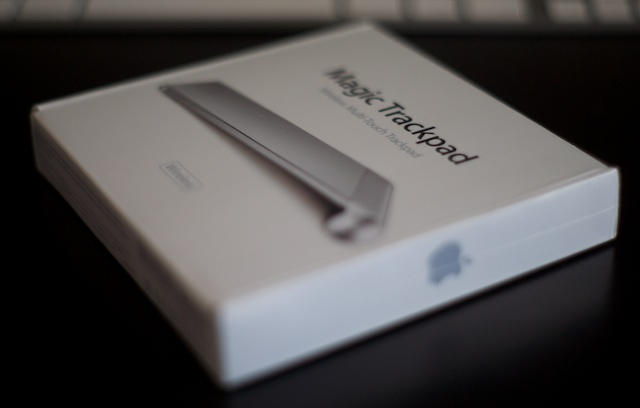
Introducing the Apple Magic Trackpad [First Look]

Introducing the Apple Magic Trackpad [First Look]

It only makes sense that the company who brought us the first mouse would try to re-invent the way desktop computers are used. Apple is attempting to bring multi-touch to the masses with its new Magic Trackpad. While this might seem like just a trackpad, this could be a sneak peek on how Apple plans to implement iOS onto OS X. Regardless of their intentions, this is the most exciting input device since the Magic Mouse. Read the rest after the break.
Introducing the Apple Magic Trackpad [First Look]

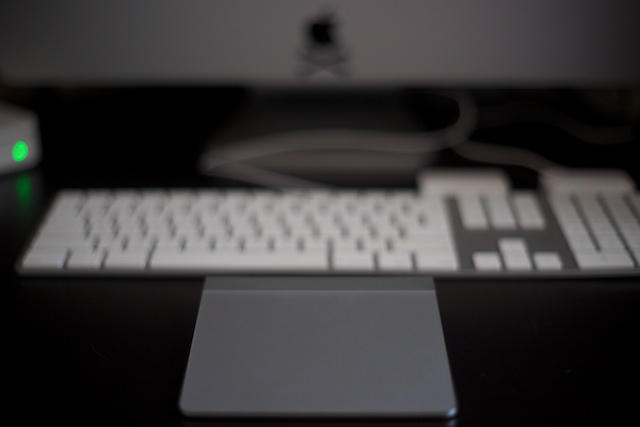
Not so sexy looking next to an old iMac keyboard.

Apple has again applied their mastery of the un-boxing experience with the Magic Trackpad. You simply open the box and the trackpad is right there for you. There is a sticker on the trackpad wrapper itself reminding users that they need Snow Leopard and the Apple Magic Trackpad Software Update to use the device. Since this device was meant to complement the new line of iMac’s, owners of older iMac models will find that the driver for the Magic Trackpad will not show up automatically in Software Update. Download it here instead.
Introducing the Apple Magic Trackpad [First Look]

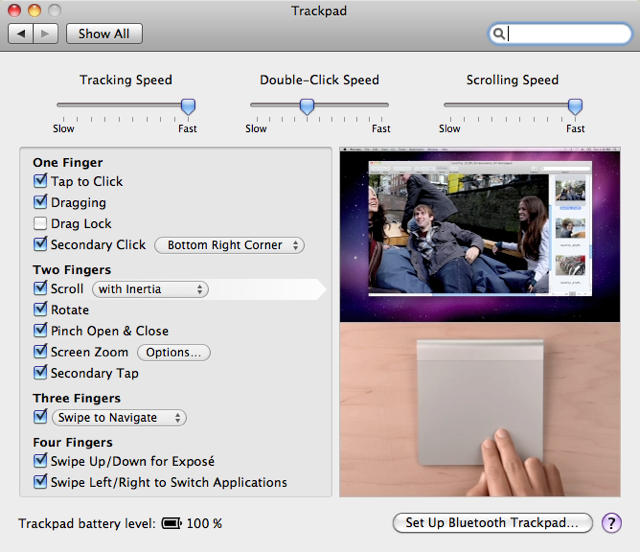
Once the setup process was complete, using the trackpad was an easy but jarring experience. While recent generation Macbook and Macbook Pro users will quickly become accustom to the gestures concept, iMac and Mac Pro owners will probably keep a mouse nearby at least until they get used to the trackpad. Even as I was editing the photos for this post I found myself quickly reverting to my Magic Mouse as I am still learning to integrate the Magic Trackpad into my workflow.

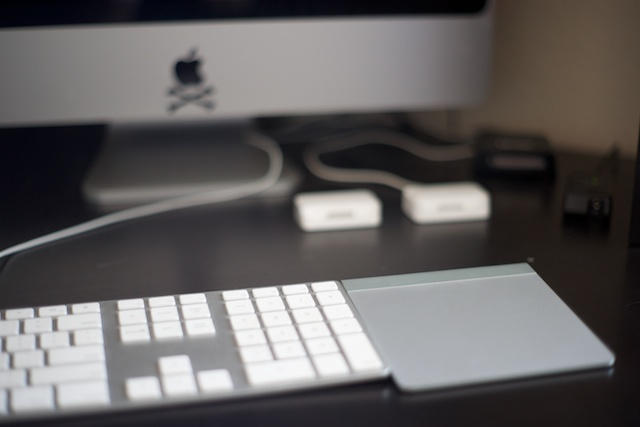
Another thing to keep in mind is that the Magic Trackpad was designed to complement the Apple Wireless Keyboard. Owners of older Apple keyboards will find that the angle of the Magic Trackpad is different and that putting the trackpad next to a full sized keyboard might alter the way you setup your desktop environment. While this should not deter purchasing this device, it’s good to keep in mind if you have a smaller desk like myself.

Scrolling with inertia is nowhere near as smooth as it is on the Magic Mouse. The Magic Trackpad will truly come alive when a 3rd party creates software similar to SideTrack that is able to take the device beyond the OEM defaults.
DON'T MISS
Leaked Photos Reveal Magic Trackpad For Desktop Macs

Introducing the Apple Magic Trackpad [First Look]

Getting used to the Magic Trackpad will take some time and patience. Since nobody has had more than a few days to use this device, only time will tell if it’s a game changer or yet another Apple device that takes control of our wallets.

About the author

jagphotog

Jose Gutierrez is a San Diego-based Sailor who loves technology, specifically anything Apple. When he's not jailbreaking a device, you can find him blogging at Mac Mobility. Follow Jose on Twitter.

(sorry, you need Javascript to see this e-mail address)| Read more posts by .

Posted in Apple, First impressions, Hardware, Mac, Mac Pro, News | Tagged: , , , |

  • Ramón

    The Apple Magic Trackpad already took control of my wallet; it was supposed to be delivered by FedEx by 7 PM PST, and I even paid an additional $10 for that, but there’s no Apple Magic Trackpad around here!
    I guess there are some things that are truly consistent: FedEx’s consistently dismal service.

  • http://www.tekunoloji.com Ballmer Gates Jobs

    It still won’t replace my beloved mouse. The DPI and precision that a mouse offers can’t be replaced by a trackpad…yet.

    And my pointer finger is already getting bent bad enough from all the touching it does on iPhone and iPad and Macbook trackpad…

  • http://www.jagphotog.com Jose Gutierrez

    My wrist is killing me already. I thought the Magic Mouse was a wrist killer!

  • Jaime Rivera

    “Owners of older Apple keyboards will find that the angle of the Magic Trackpad is different and that putting the trackpad next to a full sized keyboard might alter the way you setup your desktop environment.”

    Not true.

    Have you tried to align the Magic Trackpad to the bottom of the keyboard?
    They rest at exactly the same angle. Aligned in that manner, the battery compartment protrudes a bit in the back, but it does not look bad.

    I want to love this Trackpad but there is something that feels weird while using it… it might take a while to get used to it… So many years of using a mouse with desktop computers may be making it difficult to adjust… I don’t know…

  • http://pbase.com/jrdigitalrt Jim Roelofs

    Batteries? Ladies and gentlemen, batteries are just so um … er … LAST CENTURY!

  • Andrew

    Wow, I know you’re a photographer and all, but maybe a bigger depth of field would be more aesthetically pleasing next time (IMHO, of course).

  • Harry

    Would be ice if it actually worked. I spent 45 minutes on the phone today with Apple Support. They could not get the Trackpad to work on my Mac Pro. They finally gave me a lame excuse that I should keep checking software update because the software for the Mac Pro probably was jot released for the trackpad yet. So now I own a trackpad that has no magic, an iPad that cannot connect to have to WiFi hotspots I try to connect to and an iPhone 4 that doesn’t make phone calls.

  • Jaime R

    Well, Harry, you might be the unluckiest person on Earth. At least you have tons of money to spend on all those gadgets that refuse to play together.

  • Rodney

    Im using it only for gestures. It’s really great to have a mouse in right, and a trackpad “in” left hand. Very intuitive.

  • Poops

    Beware the troll!!! Trackpad eats ass!!!

  • Sarah

    I’m returning my trackpad today…..not that Magical.

  • Ed

    I set it up in 5 mns! it works great, feels great and looks awesome. Great tool for Graphic Designers too.

  • ged

    nice try Mr Jobs, you can’t beat a 5-button mouse

  • Doug

    It’s very pretty. Still, it’s a trackpad. I see them all the time at work. I’m not impressed. Mr Jobs, get working on my flying car!

  • HiHoSilver

    keeping my kensington 4 button, + scroll wheel + 6 shortcut buttons trackball. One of the best investements i ever made. To bad they dont make them anymore.

  • Connor Turnbull

    I’m sure in his D interview Steve said that you can get the same precision with your finger as you can with a mouse when talking about the use of a desktop OS on a tablet. So I doubt Apple is trying to kill the mouse.

    However, I would like to see a soft touchscreen keyboard peripheral

  • Gordon

    Been using the Magic Trackpad since the launch date and love it.
    It will not replace a mouse for the likes of Photoshop or applications that need detailed control, but then that’s NOT what the unit is for is it!
    For general comsumer use, the thing is great, more so when you suffer from joint pain from using the crap Apple Mouse that has always been supplied.
    I am loving the unit, and for me that’s all that matters, and to the people who have bought it and don’t like it… just take it back and get a refund! SIMPLE!

