Tilt-shift Your Mac

tiltshiftimacs-20081120.jpg

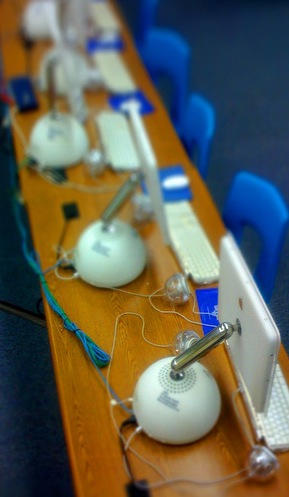
These fabulous tilt-shift G4 iMacs are the work of joelsuplido on Flickr. He’s got a whole set of them, there’s more Mac ones to drool over. It’s not just the tilt-shift effect, it’s the colors; they’re gorgeous.

These images were made using Joe Prytherch’s Auto tilt-shift Photoshop action, which you can grab and use for free.

(Pic used by permission; thanks joelsuplido!)

DON'T MISS
Made on a Mac – Amazing Tilt-Shift Videos Turn Sydney into “Model” City

About the author

gilest

Giles Turnbull is a freelance writer in England. He writes for the Press Association and The Morning News. He has a website you can ignore and a Twitter account you needn't follow.

(sorry, you need Javascript to see this e-mail address)| Read more posts by .

Posted in Hardware |

  • owen-b

    Correct me if I’m wrong, but aren’t they using Gaussian Blur? Looks that way at first glance.

  • Jay

    Seriously. Could they not either build custom ethernet cable lengths or hide them under the desk?

  • http://suplido.com/joel Joel

    Thanks Giles!

    @owen-b, the Gaussian Blur can be done too with just one layer. However, the Photoshop action, tilts/distorts some parts of the image to produce this effect.

    @Jay, I inherited that wiring layout. It used to be less organized but as we go wireless (and move those iMacs to other rooms) we’ll get rid of the wires. But I think at least, it adds to the beauty of the shot.

