Features iOS 4 Is Still Missing

Features iOS 4 Is Still Missing

The honeymoon is officially over. With the release of iPhone 4 over two weeks ago, Apple has been hit by everything except the kitchen sink. From the 3G iPad privacy concerns to the most recent App Store hack, Apple has been in full damage control mode. This makes it the perfect time to add insult to injury. Read my 5 suggestions on how to improve iOS 4 after the break.

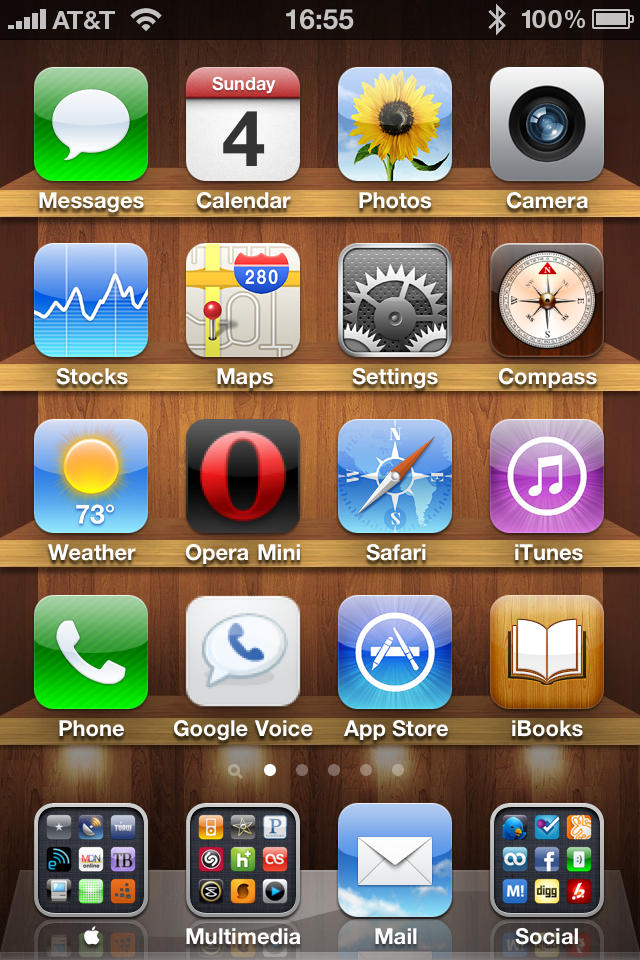
1-    Lack of User Customization: Sure, iOS 4 adds the ability to choose your home screen wallpaper. That’s about the extent of the customization experience. What the iPhone still lacks are the basics. There is still no way to add your own custom sounds for SMS messages. You’re still limited to the default selections.  There are many apps that use their own sounds for notifications but the user cannot select their own sounds for their own use. Same goes for FaceTime. There is no way to distinguish FaceTime callers without physically looking at the screen. Sure, it’s not that big a deal but it would be nice.

2-    Wireless Hotspot: This is one that really bugs me. How is it that if I jailbreak my iOS device and pay for an app like MyWi, I can instantly create a wireless hotspot? But if I go the legit route of paying the additional $20 a month on top of a $24.95 data plan (assuming you’re willing to give up your unlimited plan) I can only tether 2GB of data total and I’m still not able to make a wireless hotspot. I would have to tether using USB or Bluetooth. The iPhone and iPad are obviously capable of creating wireless hotspots so why not make it easy for the average consumer?

3-    Organized Notifications: It seems like Apple fails to make decent use of the lock screen. If I have multiple notifications, right now I only see the first notification on the lock screen. Once I unlock my device, I am hit by a flurry of unorganized notifications. Apple needs to take a cue from the Palm WebOS notification system. Users should be able to decide whether they want to see multiple notifications at once and also have the ability to save those notifications for future viewing.

4-    Wireless Syncing: Here’s one area where Microsoft has somewhat succeeded over Apple. I remember buying a Zune in late 2007 and being able to update and manage my media wirelessly with my laptop. We are now nearing late 2010. The technology exists to accomplish this type of wireless syncing (it exists for the iPhone if you’re willing to jailbreak). It is time Apple cuts the cord and saves iPhone users a few bucks. Especially since a dock is no longer included with any of their devices.

5-    Email: Yes, I love the new threaded and unified inbox but some of us need a bit more functionality. If you’re in your unified inbox, there is no simple indication telling you what inbox the current message is in. A simple color coded email or icon at the top of the email would make email much easier. There also needs to be an easier way to add media while still composing an email. If I need to add a photo from my camera roll, I have to either copy it from the camera roll or start my composing process from within the Photos app.  Apple could simply add a function to the current Copy and Paste dialogue box. They could add something that says “Insert” when you tap and hold inside an email message which would allow you access to not only photos but apps such as GoodReader or even the PDF portion of iBooks. This would greatly improve an already outstanding email app.

DON'T MISS
iPhone OS 4.0 First Look: It’s Slick, Fast and Multitasking Is Great

Well, that’s enough of my ranting and raving. iOS 4 is definitely the best iPhone OS we’ve ever seen. I just think it can improve even more. Hopefully we won’t have to wait until WWDC 2011 to see some of these improvements.

About the author

jagphotog

Jose Gutierrez is a San Diego-based Sailor who loves technology, specifically anything Apple. When he's not jailbreaking a device, you can find him blogging at Mac Mobility. Follow Jose on Twitter.

(sorry, you need Javascript to see this e-mail address)| Read more posts by .

Posted in iOS, iPhone 4, Opinions | Tagged: , , , , |

  • Celso Dantas

    And password needed to turn the device off.

  • PeterM11

    I’d also like to see a native voice search like android has in voice control. You could just say “Google ____” or “YouTube ____” and even better, let developers take advantage of it by letting you say “Open ____” and it would open an app or maybe even search inside the app. This isn’t super important but it’s one of the only reasons I envy my Droid-using friend.

    Also I’d like to be able to be able to have the option to organize app icons freely meaning being able to skip spaces.

    Custom SMS sounds would be nice.

    Other than those two things I just think they should really take a few notes from the Android notification system and improve on theirs. This is one of the last major problems with the OS.

  • http://www.howiesweb.com Howie Isaacks

    Good points! I would love to add some custom sounds for SMS messages. It would also be great to have the lock screen display some useful info instead of just the time and date. I know that there are some jailbreaks that enable more info on the lock screen. I’m not going to jailbreak just to get this feature, but perhaps a friendly email to Steve Jobs might help :)

  • Gerry

    OMG give me more, give me more….Color coded emails, LOL. Stop whining and enjoy what you have.

  • Kallt

    Your suggestions about missing customisations are true, especially the lack of individual message tones. There are only few serious message tones, the other ones I find just too childish and too cartoonish. I know many people that have an iPhone and we all practically got the same message tones. When someone receives an e-mail or message, everyone looks at his iPhone immediately. In addition, I have my iPhone over two years now and get sick and tired of these message tones. I want something new without having to jailbreak my iPhone.

    And again, we did not hear any word on this from Apple, although it is a basic feature even the most simple mobile phone has nowadays. I suppose we have to wait another entire year before Apples includes major changes and even then we still have to pray that Apple includes this particular feature.

    Although everything works flawlessly on my iPhone, I get really tired of waiting to get those features that would make my iPhone the best phone in the world.

  • Dom

    Also the ability to have a “Mark all messages as Read” would be nice for Mail.
    Unfortunately with Apple’s track record of updating iOS apps, we will have to wait until next year for anything substantial.

  • http://jimmerish.com Thomas

    Flag an email to be read later when you are back at your PC or iPad?

    I’ve been waiting for that for a while.

  • http://www.oakbog.com Adam Rosen

    Good suggestions Jose. One thing I’ve wanted since getting my iPhone is the ability to set an Extended Absence Voicemail Greeting, instead of rerecording the existing message every time. A rather basic feature, easy to implement…

  • Arthur

    And what about a real alarm clock?? The kind that can ring even if the phone is turned off, the kind that exists even on the most basic phones by Nokia…

  • Brett

    Good suggestions, and I suspect most will be addressed eventually. However the hot spot capacity limitation has nothing to do with iOS4 and everything to do with AT&T’s greed. You might as well complain about AT&T’s poor signal coverage in some cities which also has nothing to do with iOS4.

  • Joseph

    “Apple has been in full damage control mode.”

    It’s funny that Apple sells 1.7 million phones in a few days and it’s considered some kind of failure because a microscopic fraction of users have an antenna problem. If that’s “full damage control mode”, how do you describe Microsoft’s cancellation of its Kin phone after it was on the market for a couple months and only sold 10,000 units?

  • Jason

    Two things I miss from my jailbroken features that I really didn’t think of much when I had them is status notifier and being able to put the date in the task bar. Those things should be really easy to add. I do like ios 4′s version of categories and kirikae. Sbsettings would be nice as well bit I know that will ever happen :(

  • Shock Me

    The hotspot suggestion would be the most useful because it would save me some money even if ATT decided to charge a fee for it. I suspect, however, that of all of the above suggestions WiFi Synching will appear first.

    I’m quite happy with the most recent iOS. One feature I would like is a swipe folder feature that works like the events thumbnail in iPhoto. Swiping left to right would show you the icons inside. At the moment the folder icon just looks way too busy.

  • Machete9236

    @Gerry: You probably said the same thing when iPhone users complained about having no cut, copy and paste functionality.

  • http://twitter.com/michaelfields Michael

    I’ve said it over and over. Quick. Reply. It’s really not that difficult and it makes life that much easier. Why fast app switch when you could just reply to your texts in safari or the app you’re using. Look at bitesms

  • Allan

    I’d just like to know how you typed that tiny Apple logo.

  • Subzero❅

    a couple more:

    widgets! how cool would it be if u held down the home button and a widgets screen popped up!

    in notification replies. you get a messege and in the notification you just type your reply.

    bigger folders!

    built in voice search

  • Alberto Hernandez

    Apple should implement multiple functions to holding down the home button. A screen pops up with choices:

    Voice Control
    Notifications
    Widgets
    Search

  • Jeremy

    @Allan
    Look here:
    http://www.tipb.com/2010/07/01/glyphboard-add-symbols-folder-names/

    Works great. 
    No jailbreaking required, works off of copy/paste.

  • Conrad

    1. Lack of User Customization…
    Honestly, I don’t care. I’m happy with my notifications. Literally EVERYONE I work with has a iPhone and it’s never been a problem.

    2. Wireless Hotspot…
    My Canadian wireless plan only includes 250MB a month (for $25 dollars) so I have no desire to share my quarter-gig with any other devices.

    3. Organized Notifications….
    I’ve never had a Pre or Android phone, so I can’t compare. But this certainly sounds like a great idea. I would definitely like to see Apple implement this. I’m still happy with my iPhone either way, though.

    4. Wireless Syncing…
    Once again I say… really? Plugging your phone into your computer for 5 minutes when you come home is simply too inconvenient? You need to be able to sit at your computer and NOT plug in your phone in order to spend 10 minutes syncing (while draining your battery which is now running a constant Wifi Up/Download of system backups and media files)? This supposed ‘missing feature’ has been baffling me ever since I first heard of it.

    5. EMail…
    These are both great suggestions! A small colour-coded icon to distinguish inboxes would be fantastic. And having an ‘attach’ function that would go search the filesystem for standalone files and categorize them for selection and attachment would be fantastic.

    6. PRINTING!!
    I wish I had system-wide access to printing. Using Bonjour discovery and always-on internet to dynamically download drivers would be amazing. I would MUCH prefer this to wireless syncing any. day. of. the. week.

    That is all.

  • Chris

    Mhm… I have a good suggestion: a way to switch off the multitasking in iOS4. I still don’t use it that much I notice, though I thought I needed it. So I don’t really want all the latest 20 apps i touched still running or ready to run. In the end it’s still scrolling through screens like I did before. What would be really cool is the multitasking functionality working on the normal screen, so icons there would just keep their sleeping mode like in the dock below… I just find myself closing apps in the dock now…

    And no, I’m not going back to iOS3 lol

  • enzee

    How about some basic privacy things like the ability to turn SMS notifications totally off so they don’t pop up on your screen. Yeah, I know that you can turn off the message preview, but you still the get pop up showing the person. Why can’t we turn off all notifications of incoming SMS?!?!

    Also, why must we delete all recent calls and not have the ability to delete only certain calls (ala email or sms)? This seems like a glaring oversite.

    These seem like basic features that should be included. I can’t believe we are at version 4 and still don’t have these!

  • Joey

    How about adding an indicator to the front also so you are aware that you have received a message or missed a call without having to constantly light up the display?

    I’m also for the availability of changing the sounds for various programs through notifications and also the color coding of the emails. We have the functionality now with the calendar, so lets port that over to the email.

  • JM

    Still can’t search Photos by keyword!

  • Allan

    Thanks, Jeremy!

  • Jeremy

    Quite welcome Allan.

  • steffenjobs

    cool ibooks wallpaper! where can i get that?

  • John Konopka

    I’d like to make a hotspot as well, I assume that has more to do with ATT’s licensing restrictions than Apple’s software priorities.

    Wireless syncing is a bit of a puzzle. Clearly not hard. Years ago I sync’d my Sony Ericsson phone over BT on my Mac. Since Apple doesn’t comment on this we can only guess. I’m going to say it has something to do with security concerns. If you have to sync over a wire you have to be physically in control of both devices.

    Years ago the worst that could happen was that I’d lose a few phone numbers. Now if someone can hack a wireless sync function I could potentially lose a lot more. Perhaps we’ll see this a year or two down the road.

  • Drdul

    Am I the only one who would like to be able to sync to do items from iCal on my Mac to my iPad and iPhone? Oh yeah, and be able to sync notes from my iDevices when I crate them, and not have to wait until I get home and plug my iDevice into my Mac (and yes, wireless sync would be nice, too).

  • Mike

    Drdul, you can sync notes over the air like this:

    http://support.apple.com/kb/HT4191

  • IcyFog

    Wireless syncing = MobileMe.

  • Mark

    Bluetooth:
    - full AVRCP support so we can finally skip tracks over the car headunit or bt headset (currently only play/pause is supported)

    Mail:
    - Allow custom signatures for different accounts(!)
    - Show ‘High Importance’ flag in message list
    - ‘Send Read Receipts’ setting (prompt, allways, never)
    - Always show contact picture in email (not just if the subject is multiple lines)
    - Also search email body, not just subject line

    Photos:
    - add Faces and Places support for Windows users (via Picasa, Live Photo Gallery, or by manually tagging photos with information)
    - search Photos by tags
    - add ‘more info’ option for photos, displaying date taken(!), geotag info, faces, tags, camera info, etc.
    - rotate pics (was in iOS4 beta but removed in final build for some reason – maybe rotate by two finger turn)
    - allow copying of more than 5 pictures (like in iOS 3)
    - allow me to edit the maximum picture/video sharing size

    Maps:
    - allow landscape rotation
    - support Google turn-by-turn voice directions

    General:
    - inplement landscape keyboard support in all settings screens and universally in all applications
    - Allow individual contacts to be made into home screen icons – tap to dial pre-defined number
    - Add ‘Dictation’ option to keyboard

    Phone:
    - add contact pictures to list of contacts
    - ‘Keep Recent calls’ setting (never, 1 week, 2 weeks, 1 month, 6 months, forever)
    - on ‘Recents’, add ‘In’ and ‘Out’ options to ‘All’ and ‘Missed’, allowing you to filter only for incoming and outgoing calls
    - Show more call statistics when I click on a recent call – not just the most recent 3 in or out calls – or give ‘more button’ that’ll show the last 10+ calls
    - In individual contact, show ‘recent activity’ menu that’ll show recent calls, emails and texts specific to that contact
    - as mentioned by others in ‘Recents’ implement swipe to delete for individual entries
    - allow backup and individual restore of call history via iTunes
    - Visual Voice main contact pictures
    - Allow voice mails to be ‘shared’ like voice memos
    - Sync voice mails via iTunes and allow backup/archiving

    Calendar:
    - landscape support
    - week view(!)
    - if appointment location is address, make it freaking clickable please and link to maps(!)
    - ability to drag appointments in day(/week)/month view to change the date and time
    - ability to snooze alerts
    - ability to accept invites without sending a response

    SMS/MMS
    - ability to save/archive/restore messages
    - ‘Keep Texts’ setting (never, 1 week, 2 weeks, 1 month, 6 months, forever)
    - allow search of an individual thread

    iPod
    - add ’1.5x’ playback speed
    - in Audiobooks, add ‘Resume’ option if already partially played – currenlty I have to always scroll through the list and find the track that has ’2 min’ remaining or whatever it is
    - add podcasts and audiobooks to ‘Voice command’ index – “play podcast TWIT” should start the oldest unplayed episode

    That’s all I can think of for now.

  • Jason

    Dear God! Does no one else miss the click on conference call numbers with ‘X’ then passcode to autodial like in Blackberry? I love my iphone and would rather cut off parts of my own body than be forced back into a blackberry, but come one. I’ve been waiting for this since 3g.

  • Mark

    Roger: not sure if this is what you’re looking for but I’ve subscribed to the iPhone quick tips podcast (http://itunes.apple.com/us/podcast/iphone-quick-tips/id377269009) – check out #8: Automatic Conference Call Dialing

    basically you edit your number and hit the “+*#” key on the bottom left and choose ‘pause’ on the bottom middle to insert a comma, which basically results in the iPhone waiting for an answer (i think) before continuing with additional numbers – so you can have a number like 1.888.000.0000,123,456

    Works with extensions too – except I’ve found some systems connect me to the wrong extension although it ‘sounds’ like it’s doing the right thing.

    Anyway give it a shot!

  • Mark

    Err… meant Jason, not Roger

  • Don

    I would like to be able to copy a whole Calendar entry (as you can on Ical. This would simplify making similar appointments.

