My Experience With iOS4 On An iPhone 3G

20100702-3g.jpg

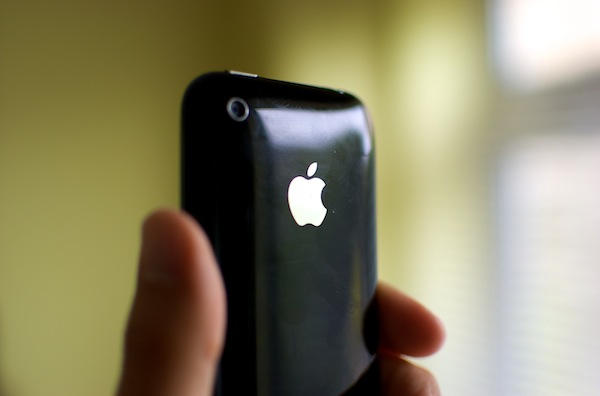
Here’s my iPhone 3G. It’s a bit scratched and a bit cracked, but it still works just fine. At least, it did until I upgraded to iOS4.

The update turned my reliable friend into a pain in the backside. Simple things, like swiping between springboards or calling up the virtual keyboard, suddenly took an age.

In short: iOS4 on a 3G was painful.

I’m not the first to notice this, of course. You can find discussion threads about it all over the net, and a post by m’colleague Adam Rosen from earlier this week.

Quite a few kind Cult readers responded to that post with their own suggestions and comments, and I’ve been trying some of those in the last couple of days.

Namely:

  • removed folders (not a big deal, I didn’t find them terribly useful anyway)
  • done the double-reset trick (this didn’t appear to have any effect)
  • backed up and done a full Restore from iTunes

That final trick was a Restore of my most recent iOS4 backup, and I must say it seems to have made a significant difference. The slowness has all but vanished, and the device now feels more like it used to before the iOS4 update. I’d recommend that if you’re in the same position, and you have all the appropriate backups, you give it a try.

DON'T MISS
Apple Will Delete Your iCloud Backups on Sept 22 in Preparation for Launch

I can’t guarantee this will work for everyone, but thought I’d share my experience in case it helps anyone else. I’m still keen to see an update – I’m hopeful that 4.0.1 (or whatever it ends up being) will address some of these performance problems on older devices.

I fully intend to get an iPhone 4 for personal use soon, but the 3G still has plenty of life in it yet, and is likely to be passed on to someone else in the family. I’d like it to be in as responsive a condition as possible when that happens.

How have you got on with iOS4 on your 3G? Any more tips? As always, we welcome comments that might be helpful to the wider community.

About the author

gilest

Giles Turnbull is a freelance writer in England. He writes for the Press Association and The Morning News. He has a website you can ignore and a Twitter account you needn't follow.

(sorry, you need Javascript to see this e-mail address)| Read more posts by .

Posted in iPhone, iPhone 3G, News, Opinions, Tips & Tricks |

  • lapuntadelfin

    Mine didn’t suffer. Mine just died as a result of iOS4. Simple and heartbreaking. Apple techs and call centre ppl have been sympathetic yet reticent to admit that iOS4 killed my phone. Still waiting to understand. They say warranty is a problem in replacing. But neither me or the phone fell. Apple did

  • http://twitter.com/benptooey Ben Smith

    I had the same problems with lag and overall snapiness, but restoring from backup didn’t make it any better. The best solution I found was unfortunately to wipe it out completely, then restore the firmware with iTunes and treat it like a new phone, putting apps and settings back on manually.

    Fortunately I have an iPhone 4 and was gifting it to the wife, so it wasn’t such a big deal for me.

  • Sab

    I have the iPhone 3G 16gb and i loved it! until iOS 4 came along!
    at first i thought, oh cool something new and fun, so like many, i updated my phone as soon as it became available! never thought it would be this much of a headache! i regret updating 100% !!
    folders is fun but i could live without it, i have been for almost two years now! the new “dock” look, nice, but not enough to have such a slow phone!! everything lags!! unlocking the phone, open or close an app, calendar is slow and refreshes weird, mail is slow (altho i love the threading!) app store seems to crash more often. i’ve been rebooting my phone almost everyday now and it seems to make it lag a bit less BUT it wont connect to my wifi unless i go connect myself!!!! sooo annoying!
    i too have tried hard boot twice, restore to default and then update to iOS4 with the latest backup. it worked for maybe a day or two and then the lag just came back. i’ll probably try restoring from the last backup when i have another 15minutes to waste, but i really hope they bring out an update for us and soon!! i too want to get the iPhone 4, but i love my white 3G and want it fully functional until i can get the new one.

  • Matt

    Same issues here. I’ve downgraded to 3.1.3 this morning.
    http://lifehacker.com/5572003/how-to-downgrade-your-iphone-3gs-from-ios-4-to-ios-313
    Much better. Hopefully 4.0.x or 4.1.x will make things better…

  • e.phemera

    Agreed. While I think the whole antenna thing is mostly h8r hysteria (my iPhone 4 works just fine no matter how I hold it)… iOS4 definitely f’d up my iPhone 3g.

  • Barry

    Wow I must be really lucky. Some things are a little bit slower… but overall I would say my 3G has felt *more* responsive in a lot of situations.

    The only issues I’ve had are with iPod being a little slow at times, I’m certainly not regretting updating.

  • Kafka

    iOS 4 is horribly slow on 3G. It is just not acceptable.

  • Alex

    I don’t know why everyone runs into this problem.

    I may not be a computer genius here, but after having spent 10 years using windows, I learned that major OS release upgrades NEVER work well. You do a fresh install and restore settings and apps from backups.

    So when I moved to my first mac when the 12″ powerbook came out, I did the same thing. I never upgraded major OS releases.

    So for my iPhone 3G, I fresh restored it and then restored my settings and apps from a backup. Not a single issue. My phone is still fast and I haven’t noticed a single slowdown. I like it better than I did before.

    I would have hoped that upgrades would just work as described, but I’ve used computers since 4′th grade so I know better.

  • Steve S

    My 3G has no problems with IOS4 and the Battery seems to last a lot longer. However I did have to do a full wipe and restore to get it on after several failed attempts so that may be the answer for those with problems.

  • PK

    I just did a full reset on my iPhone 3G and then loaded IOS4 on it. It works fine and if anything runs quicker than before. I didn’t sync it with my stuff on iTunes because I gave to phone to a family member who hasn’t owned an iPhone before.

  • Rick

    Full restore = faster than before. I promise.

  • jimmy

    The simplest way to return your iOS4 upgraded 3G phone to snappy performance is to turn off your phone, wait a few seconds, then turn it back on again.

  • andy

    I upgraded on 3G and soon downgraded to 3 again. much better now

  • JDS

    Upgraded my 3G to iOS4 the day it came out and not a single problem. The phone has been more responsive and works as well if not better as before.

    JDS

  • Bernt

    Have you ever jailbroken it?

  • http://thesoapvox.com Vox

    The double-reboot thing worked for me and an officemate…so…add a couple of votes to trying that one :)

  • http://tvscifi.com stevehops

    iOS 4 hasn’t slowed down my 3G, 8gb phone at all. GPS works great now and Safari is much zippier.

  • Knarz

    I had this problem with one of the 3.x updates, but iOS4 went well. The restore worked for the 3.x problem, btw.

  • NewJohnny

    I had the slowdown issues as well. After doing this list of things, the speed is back to normal after several days of usage:

    - Hard reset twice.
    - Turn off Push and set fetch on all accounts.
    - Uncheck most things from the Spotlight search (I kept contacts and calendar searching).
    - Turn off MMS and Character Count display.

    I understand not everybody can do all of the above, but every bit counts.

  • ged

    i don’t have an iphone so i don’t have your probs, haw haw haw haw

  • Nathan

    I don’t find mine any slower than it was before the iOS4 update (it’s slow, yes, but it has been ever since the OS3 update last year). The only thing that is different is apps continually crash. Not apps that came with the iPhone, but ones that I’ve downloaded from the App Store. Usually they will only crash once and then will work when I go into it a second time, but some apps just continually crash until I do a hard reset. iOS4 caused this.

  • Michael

    The big hit for my 3G when I upgraded it to iOS4 was battery life – I think speed was actually improved.

    I did a number of things that people have suggested, including the back up & full restore, which may have improved things slightly, but was not solving the problem.

    After a few days having 3G and/or wifi turned off in order to try to get through the day on one charge, I tried switching off push on mobileme, changing it to checking every 15 minutes – and this has resulted in a massive increase in battery life.

    So, my tip would be to do the back up, reset all, then restore (which takes a few hours), then switch off push.

  • Brian

    I have a 3G 8GB with about 3GB empty and after upgrade had sluggish performance. Quite badly really compared to the previous state. I have also noticed a few Apps that were buggy and crashed whenever they were used.
    I have done 2 resets as described and over that timeframe I deleted 3 “buggy” apps as I discovered them. For a week now I have had performance which appears to be as snappy as the old 3G.
    I always did a deletion by a reset.
    Clearly the hardware isn’t broken for me, but I suspect that there are some badly behaved apps not tested on IOS 4 which are causing the problem, maybe.

  • hapa

    after extensive testing i have reached a culprit: iOS4 safari rendering/thrashing in the background drags the phone to a slothing halt.

    doest that not suck?

  • http://www.definitivemind.com James Katt

    Perhaps iOS4 doesn’t work well on the iPhone 3G when it has been jailbroken.

    I assume you jailbroke your iPhone 3G since you talk about “springboard” – which doesn’t exist on the un-jailbroken iPhone.

  • Frederic

    I didn’t jailbreak my iPhone 3G and it’s now slower than ever before …

  • late

    there are benefits to being a late adopter, even as someone who works in the IT field.

    I didn’t buy an 3G until the 3GS, I always wait at least a month before I upgrade any software. I never install a x.0 version of anything. I wait until x.1 or x.01 at least.

    my life is better and cheaper and less painful because of it. technology will never be perfect. sure, point fingers at Apple, they could have done better. but take some of the blame yourself…. it’s your life and your blood pressure. be a skeptic and a late adopter.

  • Ernest Wilson

    Have a 3G 16mb iPhone. Updated to iOS4 and don’t have any noticeable change in performance or speed. Happy camper here.

  • http://www.iapplenews.webs.com iAppleNewsReporter1

    i upgraded to ios4 on my iphone 3g, an its awesome. And of course i jail broke it to get all the full features of ios4. but the only proablems is apps crashing.

  • http://idantouchhelp.tk iDan

    i have seen ios4 on my iphone 3g and i jailbroke it and so far is not that slow at all its kind of like my jailbroken ipod touch gen1, its a bit slow but nothing that bad, the app crashes i do get a lot but im use to that. all in all ios4 is great on the device could be better yes but its ok.

  • Ron

    I must be the od man out here. When I upgraded to iOS 4 on my 3G, it went off with out a hitch. I never had one single problem. My apps work fine. I got no complaints

  • http://www.cultofmac.com Jodie

    I have tried everything since upgrading to the new IOS 4 update. My 3G is so slow. Calender freezes everytime I open it and takes about 5 seconds to come good. It is driving me nuts! SMS is slow to open and respond. MMS works sometimes. Wish I’d never done the update. Have been on the phone to Apple about 8 times now and have tried every trick in the book to get it working properly. They actually replaced the phone for me under my Apple Protection Plan Warranty but the new one did the same thing. Tried syncing with another computer, didn’t make any difference. I am going to try and go back to the earlier version like someone has suggested earlier in this forum. Wish me luck.

  • K.Rich

    @Jodie
    maybe try jailbreaking or turning off the search options under the settings, general, home button. with the jailbreak you can use sbsettings and use its “free up memory” function which may be kind of a pain but it will help apps open quicker and (most of the time) not crash. just tryin to giv a few more idea before going back to 3.x.x

  • K.Rich

    @james katt
    springboard is on all iphones…. that is what you see.
    springboard is more commonly brought up on jailbroken phones because you can modify it.

  • Kerome

    My initial experience with 4.0.x was good, things seemed snappy and battery life was good as soon as I turned off Spotlight search. But over time – around 3-4 weeks – things have deteriorated significantly. I’m seeing lots of small and not-so-small issues, eg the opening screen not responding to the first swipe for 10-20s, many previously stable apps crashing, the phone closing down to the opening swipe menu mid-operation, Etc.

    It looks like a problem with memory usage in the OS to me, I’m going..

