Will Inertial Scrolling Come To All Apple Laptops In Future OS X Update?

Will Inertial Scrolling Come To All Apple Laptops In Future OS X Update?

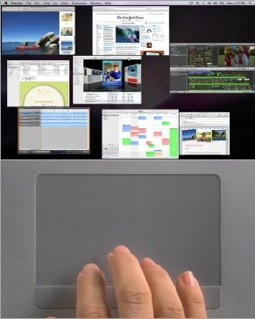
One of the secret new features of the new MacBook Pros is inertial scrolling, which causes the trackpad to function like the iPhone’s touchscreen when scrolling; in other words, your screen scrolls with momentum informed by how hard and fast you swipe your fingers down or up.

TUAW has a post up about the new feature, positing that it should be possible on “all multitouch Apple trackpads. They’re wrong: the feature should already be possible on every Apple touchpad out there, multitouch or not, as indicated by the SuperScroll software.

The big question is: if all Apple touchpads are capable of inertial scrolling, does the functionality in the new MacBook Pros indicate Apple will roll it out across all Snow Leopard machines in a forthcoming update?

DON'T MISS
Review: I Want To Love The Magic Mouse, But I Can’t

How do you feel about inertial scrolling? Is it something you’d use if it was rolled out to existing Apple laptops? Let us know in the comments.

About the author

John BrownleeJohn Brownlee is news editor here at Cult of Mac, and has also written about a lot of things for a lot of different places, including Wired, Playboy, Boing Boing, Popular Mechanics, Gizmodo, Kotaku, Lifehacker, AMC, Geek and the Consumerist. He lives in Cambridge with his charming inamorata and a tiny budgerigar punningly christened after Nabokov's most famous pervert. You can follow him here on Twitter.

(sorry, you need Javascript to see this e-mail address)| Read more posts by .

Posted in Hardware, MacBook Pro, News |

  • Nonsense

    Yes! Of course I will use it. Scrolling a long web page back to top is terrible with current scroll behavior.

  • Celso Dantas

    @Nonsense, I agree!

  • http://www.apple.com Anony

    I’ve been using SmartScroll ever since Tiger, and it gives that functionality smoothly.. So if Apple thinks NOW is the time to add it officially, i think the boat already sailed on that one..

  • Joe

    I use a Bamboo Touch pad instead of a mouse with my Mac Mini. It has inertial scrolling (didn’t know what to call it until now), and I really like it.

  • trospero

    You do realize that inertial scrolling is already available to you if you use the Magic Mouse, right?

  • http://disco-bar.blogspot.com Hal

    It rocks.

  • Alexis

    yeah…I also have SmartScroll…and I love it on my MID2009 MBP

    it makes it even better to use the trackpad

    @nonsense…if you get the $5.99 JiTouch system preference add on you can have 3 finger scroll up to go to the top of the page and 3 finger scroll down to go to the bottom…I use it all the time too…besides JiTouch also adds a bunch of great and very useful additional multi-touch things to both the trackpad and the Magic Mouse…I can’t live without it…hehe…and you can customize multi-touch to specific apps as well…which I adore

  • http://ihbs.co.uk Ben

    my magic mouse uses it, though strangely not with all software. Tweetie bieng an app that doesnt seem to scroll with momentum in any way!

    Love it though!

  • Brian

    The Logitech MX mouse has an inertial scroll wheel – not software but a heavy wheel that spins when you flick it with your finger. So you have real momentum physics informing the scrolling rather than software simulating it. And none of the ‘pick up your left finger to right click’ business required with the magic mouse). And you can click the wheel to set it to indexed mode where rather than spinning freely it is indexed. It is by far the best mouse I have ever used – mine is going on 4 years and still works great – feels great battery charge lasts forever etc. Highly recommended.

  • Me

    I use it with SmartScroll, and it rocks! Apple should definitively include this as an update, it’s a MUST.
    Then, when you are forced to use a PC, you have yet one more reason to hate them.

  • http://www.nimbling.com Herman

    @Alexis, well, that’s $6,- wasted :) Bettertouch tool does all that (and wayyyyy more) for free! :D

  • .holger

    Don’t think so. Remember 2005 (or so). two-finger-scrolling was introduced to the latest iBooks but the older ones didn’t get it BUT they could enable it with thirdpartysoftware “iScroll2″.
    That new feature will be exclusive on those new books…

  • Frank

    I will kill to have inertial scrolling! :D

  • rockaway

    It’s very intuitive. Takes about 5 seconds to get used to it and you’ll never want to go back to the old way.

  • Steve

    YESSSS!!! I want it! My friend got the new MBP and I have last years….I love the scrolling!

  • Mitch

    Yes, i would definitely use momentum scrolling on my macbook pro. It’s one of the awesome features i liked about my magic mouse and i tried out the smart scroll app and it is so nice having momentum scroll for my trackpad. I hope apple brings it out.

  • Marky Mark

    Oh yeah – gimme gimme!

  • Samdi

    I use smart scroll, it is really smooth,but i have noticed it works better in safari than firefox!

  • http://thewebinardoctor.com mschwax

    Smartscroll works like a charm in the mean time.

  • Nonsense

    @Alexis
    Thanks. I will check JiTouch.

  • Nonsense

    @Herman
    I will check Bettertouch also.

  • http://juarin.com Juarin

    @Nonsense: If you’re just concerned with getting to the beginning or end of a document, you can use Command-up arrow and Command-down arrow, respectively.

  • http://www.earspray.net freetobelee

    i use HippoRemote on my iPhone as a trackpad for a htpc, it supports two fingered scrolling with weight to it as well as scroll direction swap (a hamster switch, if you will ;)

