
 I cooked up many reasons to justify buying an iPhone, and the fact that it had a camera (no matter how poor quality) was one of them. I liked the idea of having a camera that was so well integrated with the rest of the software on the machine.
As it turns out, third-party software that makes use of the camera is the stuff I’m getting most excited about, and playing with most often.
The most recent addition to my iPhone home screen is CameraBag, purchased for just 1.79 of our fine English pounds (which is about 3 of your fine American dollars).
- Helga: a square format, washed out feel with vignetting
- 1974: gives photos the look of a 35-year-old print that’s been sitting in an album ever since
- Lolo: another square format, with strong saturated colors
- Cinema: wide-screen format
- 1962: high contrast black and white effect
I’ve been playing with these different effects over the last few days, and got the best results from the Helga effect. Both Lolo and 1974 seem to do well, but I’ve been disappointed by everything I’ve tried in Cinema and 1962.
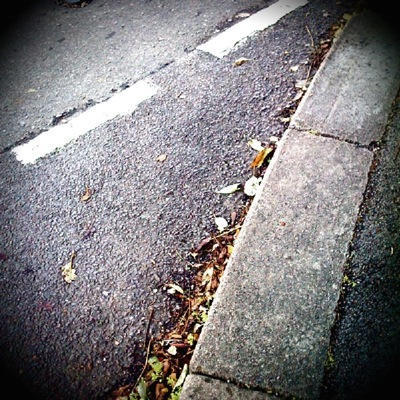
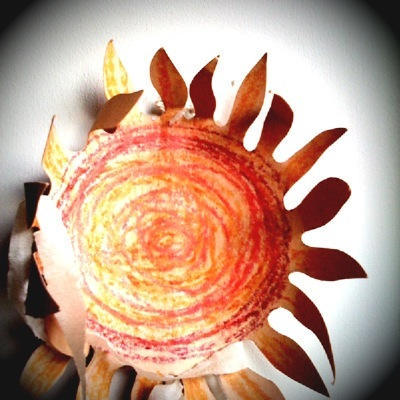
Two of my efforts with CameraBag.
Needless to say, there’s now a Flickr group devoted to CameraBag, and a quick browse through it shows just how imaginative people can get when they get an ounce of inspiration. Flickr user designforces a great set of CameraBag pics.
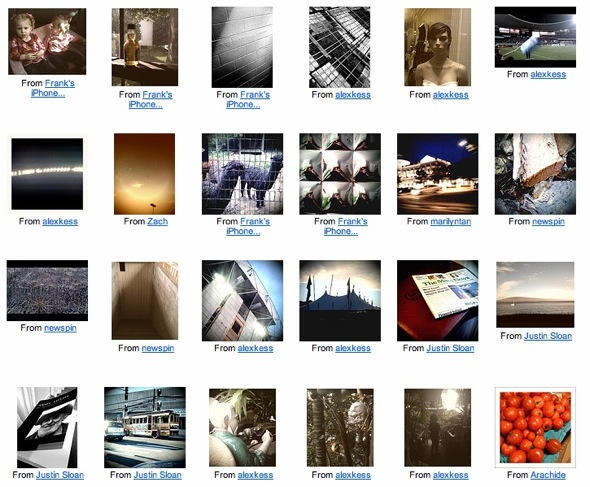
That’s what apps like CameraBag are, in my view: inspiration. You start walking around with your eyes peeled for things that might make a good Helga, or a good Lolo. The app takes a pretty basic camera and gives it new life. It fosters creativity. For a few bucks, I think it’s a bargain, and I’m looking forward to updates that improve the built-in effects and hopefully add new ones.
And of course CameraBag is just a start. There’s dozens of apps to try in the photography category on the App Store. I’m tempted to try Juxtaposer, 3D Fuser, Gritpix, and HiCon, even though some of these are similar to CameraBag, but just apply one effect to an image.
Another idea that could be inspiring is Scavenge, a photography scavenger hunt that gives you topics to photograph, then lets you share what you find with other users. That’s a project for a rainy day. Actually, maybe a sunny day.
And another: Collage . You can guess what it does. The video demo is impressive:
The lesson to learn is this: just because your camera is low-fi or low quality, it doesn’t mean you can’t get interesting images out of it. Look what some people managed with the original Game Boy camera and a roll of paper to print on.
I’m really pleased to see all this innovative iPhone photography software coming out, and can’t wait to see what comes next. I have a feeling that, assuming its battery lasts that long, my iPhone will live on as a fun camera long after my contract with O2 expires and it gets replaced by something else. Perhaps a future iPhone. With a better camera inside it.

Giles Turnbull is a freelance writer in England. He also writes for the Press Association and The Morning News. You can find out more at his website, and follow him on Twitter @gilest.

