Remotely Take Control Of A Computer With An iPhone For Free

Remotely Take Control Of A Computer With An iPhone For Free

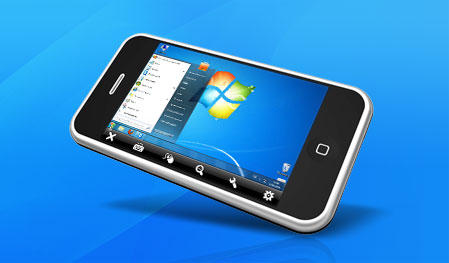
Yes, that's a Windows logo, but TeamViewer plays nicely with Macs too.

Like LogMeIn Ignition, TeamViewer lets you access a computer over the Internet from your iPhone. The big difference: TeamViewer is completely free.

Yup, free. The new iPhone app from German-based TeamViewer complements their (also free) desktop app, which means now you can help grandma find cool Firefox plugins, or show dad how to open iTunes — while out walking your dog. For free. Which is a pretty good deal, especially considering LogMeIn Ignition is $30. Just install the iPhone app, install the desktop client and you’re good to go.

“Yeah, but what’s the difference between the free version and the $99 Pro version I noticed at the App Store,” the canny reader might ask. Good question — nothing slips by you, canny reader. Answer: Absolutely nothing. You get the full version for free, with no extra fees attached. TeamViewer does ask that you pay for the app — by buying the Pro version — if you’ll be using it for commercial purposes.

DON'T MISS
Review: LogMeIn Ignition, Super Simple Desktop Access for the iPhone

I haven’t tried TeamViewer yet, but if the quality of their tech support is anything to go by — which I called to verify a few details and was pleasantly shocked by a prompt and helpful response — the app should, hopefully, deliver.


About the author

Eli Milchman

When he was eight, Eli Milchman came home from frolicking in the Veld one day and was given an Atari 400. Since then, his fascination with technology has made him an intrepid early adopter of whatever charming new contraption crosses his path — which explains why he's Cult of Mac's technology editor. He calls San Francisco home, where he works as a journalist and photographer. Eli has contributed to the pages of Wired.com and BIKE Magazine, among others. Hang with him on Twitter.

(sorry, you need Javascript to see this e-mail address)| Read more posts by .

Posted in iPhone Apps, News |

  • Scott

    So what about for the Android market? What is the closest competitor? Is there one yet?

  • Phillip

    The app works remarkably well. I found it the other night and used it. It is a little slow to connect (slower than VNC) but the smoothness is a lot better than VNC. Being able to shake the device to switch monitors is a huge plus.

  • Tommy T

    This has “win” written all over it.

  • Mike McKenzy

    So weird…and this happens all the time with articles written by CoM … But a buddy of mine just today…a couple of hours ago… suggested that I try TeamViewer on my iPhone as he had just installed it on his iPod Touch, I was thinking about paying the 35 bucks for control of my Mac over the internet with Log Me In…then this came along, then the article… so weird! I love coincidences. :) Oh, and it works pretty well by the way. I’m sure it will continue to get better over time, too.

  • Greg

    Are they making an ipad specific version because if so that would be epic!!

  • Eli Milchman

    @Scott: We tend to be an Apple-focused site, and as such don’t usually present information pertaining to Android-related apps. However, I didn’t see anything hinting at an Android version on the TeamViewer site (while the iPhone app was trumpeted fairly loudly). Not sure what the closest competitor is, but LogMeIn’s a good candidate. Your final question is answered in the post.

    @Mike: Coincidence? Or the Cult working its magic? You decide.

    @Greg: That would, indeed, be epic.

  • http://poivre.net philippe Poivre

    Excellent ! Just tried it and it works well over wifi… Will have to try later today over 3g… Very promising…

    Thanks

  • http://rishi89.com Hrishikesh Choudhari

    TeamViewer works *just fine*..

    Its really generous of them to give away this kind of app for free.. and both clients at that.. !!

  • Brandon Chang

    i fkn agree!!! ipad version would be like a true portable snow leopard os

  • Rodrigo Santana

    I’ll definitely try that!

  • moshy

    I was having fun playing with it until it dropped out and a dialogue box came up on my iphone saying…
    “This was a free session sponsored by http://www.teamveiwer.com

    Please note that free sessions are available for NON COMMERCIAL USE ONLY

    Thank you for playing fair”

    I really didn’t get much time in and most of the time was spent waiting for the screen to resolve… I used it on my wifi at home, hate to think how long it would take on 3g…
    It really does seem like a nice app though but as I have noted there is a difference between the paid and the free versions. It will come in handy sometime though…