Review: Launchy Comes To OS X From Windows

20100309-launchy.jpg

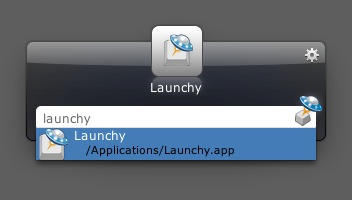
Just days after we reported on the launch of Alfred for OS X, along comes yet another keyboard-centric file and application launcher: Launchy.

Launchy has a long history as an open source Windows application, doing much the same on that platform that Quicksilver did on OS X. It too supports plugins that greatly boost its usefulness.

Right now, though, you can download a Mac beta and see what you think.

To be honest, you can tell straight away that it’s a Windows app that’s been ported over. The Menu Bar icon looks like one you’d see in the Windows tray, the preferences screen is functional but, well, has that Windowsy feel to it. Try it out, you’ll see what I mean.

That’s not to say it’s a bad app, though. I’ve been playing around with it this morning and it certainly does the job of finding – and doing – with very little fuss.

DON'T MISS
50 Mac Essentials #26: Alfred

What’s great is that there are so many of these things available now. On OS X there’s the aforementioned Alfred, plus Quicksilver’s open source offspring, LaunchBar, Butler, and Google Quick Search Box. All of them are excellent tools and essential for the computer-literate who just want to get to their stuff faster than they can while mousing around inside file manager apps.

Thank goodness, I say, for Quicksilver and its creator Nicholas Jitkoff, who started the ball rolling and showed everyone else how it should be done. (UPDATE: This is wrong – LaunchBar came first – see the comments.) I can’t use any computer these days without some sort of keyboard launcher installed. My fingers know exactly what to do: Command+Space, Command+Space, Command+Space.

About the author

gilest

Giles Turnbull is a freelance writer in England. He writes for the Press Association and The Morning News. He has a website you can ignore and a Twitter account you needn't follow.

(sorry, you need Javascript to see this e-mail address)| Read more posts by .

Posted in News, Reviews, Top stories |

  • Tagertux

    Alfred is so good. Looks great. Acts great.

    Would be nice to a nice launchers comparison though…

  • thanx_Al

    Is this much different from Spark.app? I can’t live without Spark. It was the first app I put on my new 21.5 iMac and its on both my 24 iMac and Macbook.

  • http://www.metrokids.ca Conrad

    I have tried a couple of these thing, but I just end up back at Spotlight. How are these better?

  • http://gilest.org Giles Turnbull

    Conrad: they’re not always better. Personally, I find Spotlight does what I need 90% of the time – but it does hang every so often, and isn’t quite as lightning-fast as some of these third party apps. Right now I’m using Alfred and enjoying the extra speed, even though it’s tiny.

  • http://sebduggan.com Seb Duggan

    Wasn’t it LaunchBar that set the ball rolling? I’ve been using it since 2001…

  • http://gilest.org Giles Turnbull

    Seb: You’re right.

    Indeed, it looks like LaunchBar began life on NeXTSTEP:

    http://en.wikipedia.org/wiki/LaunchBar

    … I had no idea it stretched back that far. So: apologies to the LaunchBar folk for not acknowledging them above as the rightful instigators of keyboard launching! Thank you, Objective Development team!

  • http://chaos.corrupt.net Jim

    Spotlight also does the job.

  • Herman

    Meh, I’m scuttling back to butler until Alfred does skinning (or starts looking better ;) & shortcuts. Looks very promising though! (although I’m really pining for the next release of butler, too :D )

  • http://balexandre.com Bruno Alexandre

    I use QuickSilver and I’m happy with it.

    http://blacktree.com/?quicksilver

    But I most agree with Tagertux, would be nice to see a comparative between all of this Quick Start Apps

