Use An External Bluetooth Keyboard With Your iPhone [Jailbreak Superguide]

Use An External Bluetooth Keyboard With Your iPhone [Jailbreak Superguide]

If you type a lot on your iPhone and haven’t upgraded to iOS4,  BTstack available on Cydia is worth checking out.

The iPhone’s on-screen keyboard and auto-correction are great, but if you write long missives or are used to hammering out complex messages on a keyboard, you’ve probably wanted to use an external keyboard to get your point across at one time or another.

This is where BTstack keyboard comes in: it’s a simple paid application that lets you hook up most external Bluetooth HID keyboards to your iPhone or iPod Touch. Keep in mind that it doesn’t support more sophisticated commands for your mobile opus (selection, copy/paste, etc.) but it works like a charm for straight typing. Here’s Cult of Mac’s quick guide to get you started.

What you’ll need:

  • A jailbroken iPhone/iPod Touch with Cydia installed.
  • Wi-Fi and Internet access on the device.
  • BTstack Keyboard Cydia application worth $4.99

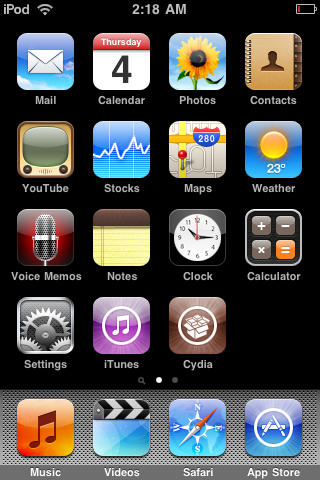
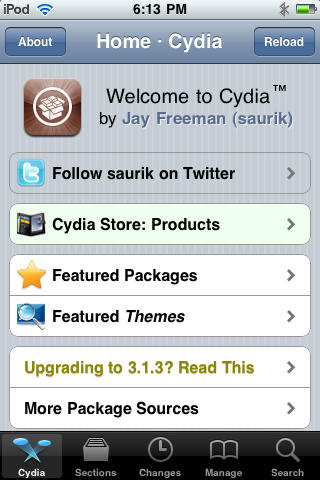
1. To start, you’ll need a jailbroken device with Cydia installed. If you need to jailbreak your device, please check out our jailbreak guides. Press the Cydia icon to open it.
Use An External Bluetooth Keyboard With Your iPhone [Jailbreak Superguide]

2. After Cydia launches, choose the ‘Sections’ tab and then select ‘System.’
Use An External Bluetooth Keyboard With Your iPhone [Jailbreak Superguide]

Use An External Bluetooth Keyboard With Your iPhone [Jailbreak Superguide]

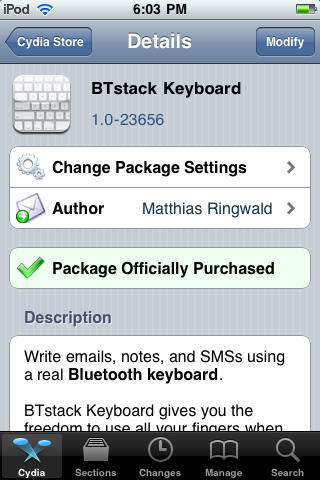
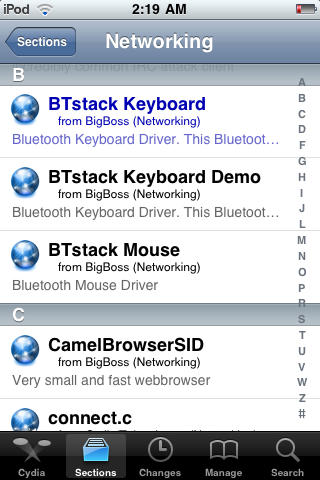
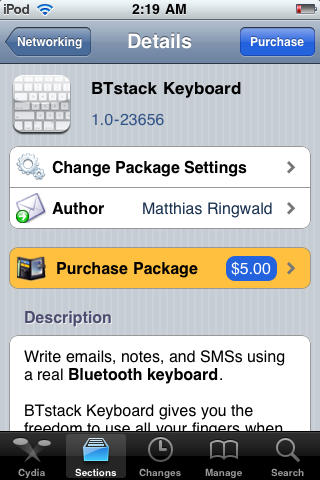
3. Open the BTstack Keyboard package and hit ‘Purchase.’ Once the purchase is complete, download and install.
Use An External Bluetooth Keyboard With Your iPhone [Jailbreak Superguide]

Use An External Bluetooth Keyboard With Your iPhone [Jailbreak Superguide]

Use An External Bluetooth Keyboard With Your iPhone [Jailbreak Superguide]

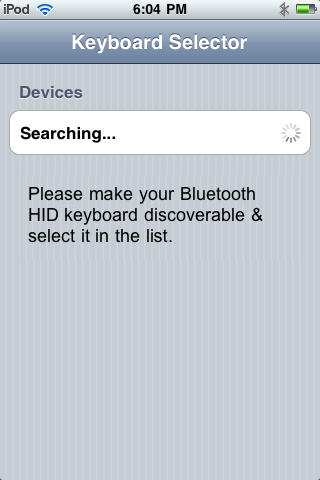
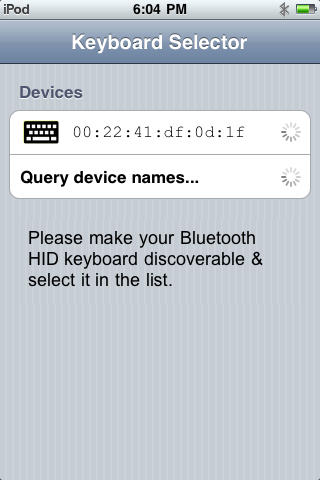
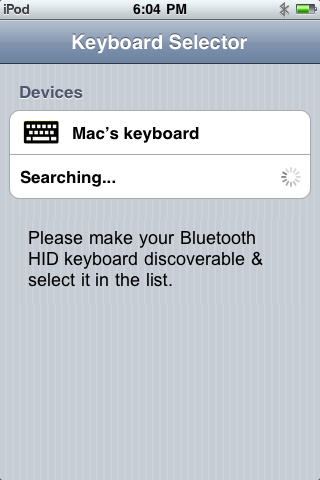
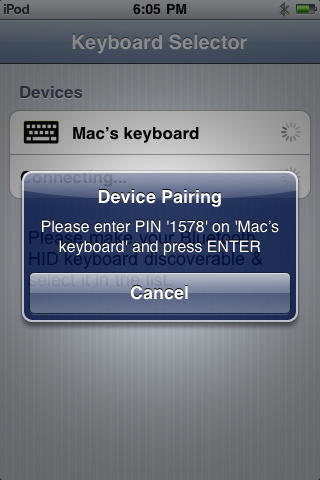
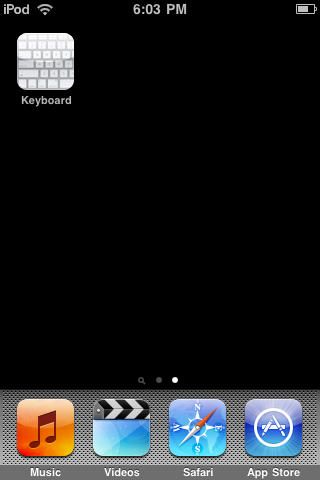
4. Launch the Keyboard application on your iPhone and turn on your Bluetooth keyboard device. After it finds your device and displays its details, select the device name,  then enter the passcode on the external keyboard to complete the connection.
Use An External Bluetooth Keyboard With Your iPhone [Jailbreak Superguide]

Use An External Bluetooth Keyboard With Your iPhone [Jailbreak Superguide]

Use An External Bluetooth Keyboard With Your iPhone [Jailbreak Superguide]

Use An External Bluetooth Keyboard With Your iPhone [Jailbreak Superguide]

Use An External Bluetooth Keyboard With Your iPhone [Jailbreak Superguide]

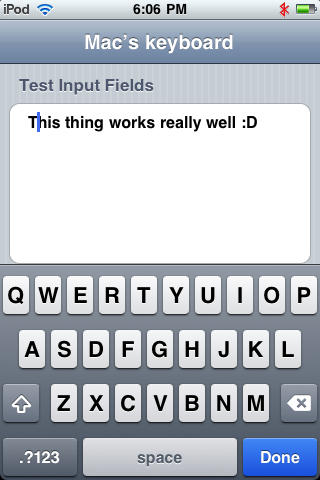
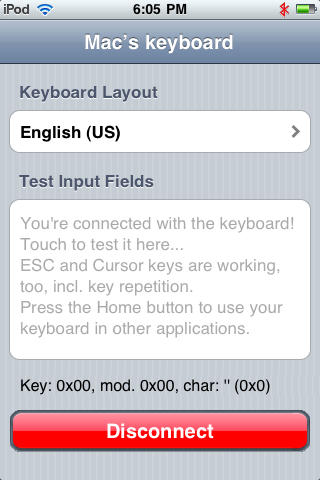
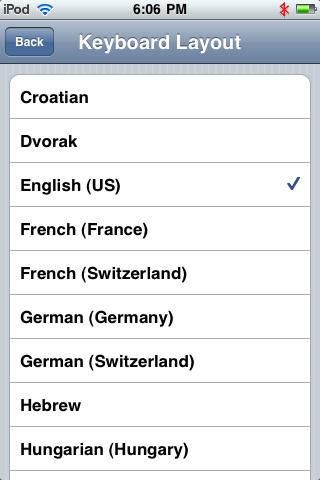
5. You’ll be shown a ‘test’ screen, this is where you can choose another keyboard language if you’re not using US English. Below it, you’ll also find a box to test the keyboard.
Use An External Bluetooth Keyboard With Your iPhone [Jailbreak Superguide]

Use An External Bluetooth Keyboard With Your iPhone [Jailbreak Superguide]

Use An External Bluetooth Keyboard With Your iPhone [Jailbreak Superguide]

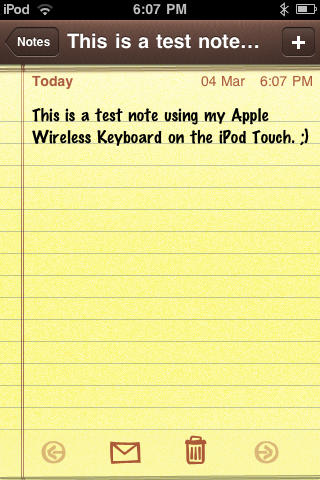
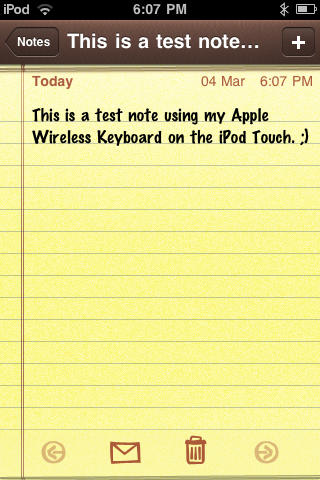
6. You can close the application and start typing from the Bluetooth keyboard.
Use An External Bluetooth Keyboard With Your iPhone [Jailbreak Superguide]

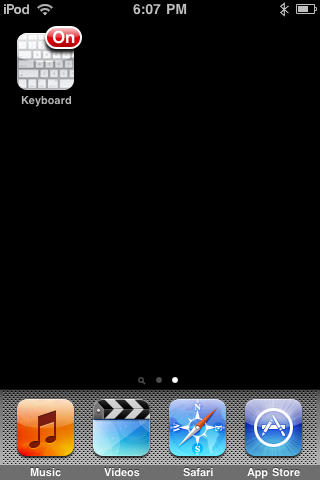
Please note: when connected to a device, you’ll see an ‘On’  Keyboard Icon from your iPhone screen.
Use An External Bluetooth Keyboard With Your iPhone [Jailbreak Superguide]

DON'T MISS

About the author

Sayam Aggarwal

Sayam Aggarwal is a 18-year-old student living in India who has been an Apple fan for almost 5 years. He has worked with ModMyi, one of the leading iPhone communities, as an author for more than a year. He spends most of his free time on the Internet fetching the latest news regarding Apple and its entire product range. Follow him on Twitter!


(sorry, you need Javascript to see this e-mail address)| Read more posts by .

Posted in Hardware, How-To, iPhone, iPhone 3G, iPhone 3G S, iPhone Apps, iPod Touch, Tips & Tricks | Tagged: |

  • http://N/A Nick

    Isnt this feature built into iOs 4.0 and you dont have to pay 4.99 for it???

    I believe it is :)

  • DCJ001

    Jailbreak guides from an irresponsible sixteen year old are not appreciated.

  • .

    Sayam Aggarwal, after you proudly wrote the “jailbreak superguide” to pirating an installing appstore apps on the iphone on this otherwise dignified CultofMac website, it really begs one question for you writing this new paid app “superguide”:

    Did you actually pay for your copy/installation of the Cydia BTstack Keyboard or did you again pirate the app for your CultofMac “super debut”?

    Such a shame of a CultofMac “writer”… lots of far better and more dignified talents out there than Sayam.

  • Mark

    I liked the article. I have an iPhone 3G which doesn’t allow for keyboard connections. I jailbroke it for this for one reason.
    I was glad to find the btstack program. My old think outside keyboard for my PDA works great with my iPhone.
    Thanks to jailbreaking I’m not buying an iPhone 4 yet!