Opera’s latest beta makes it the fastest browser on OS X

Opera’s latest beta makes it the fastest browser on OS X

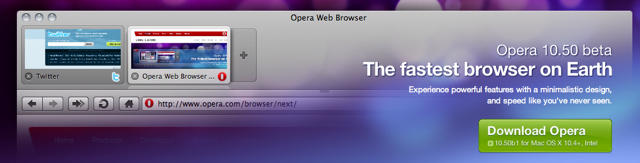
It’s been years since I’ve used the Opera browser, but the latest beta version offers at least one tempting reason to switch: it’s fast. Really fast. So fast that it just smokes every other browser on the OS X platform.

It’s all thanks to Opera’s new JavaScript rendering engine, Carkan, and a new vector graphics library called Vega that handles all the graphics rendering. Seth Weintraub runs the math over at Computerworld, but the bottom line is that Opera 10.5 beta is about 10 percent faster at rendering pages than the previous champ, Safari 4.

Other improvements in this version include:

• Stabilization Improvements: You will find that this build is much more stable than the pre-alpha build.

• More polished user interface: The whole UI is more polished now. We’re still not done yet, and expect more polishes and improvements in the builds to come.

• Opera Unite: Opera Unite now works with this release. You can browse through and download unite apps through the Unite Apps Repository.

• HTML5 : This beta now supports the html5 tag.

• Widgets as standlone apps: We’ve already talked about widgets as standalone apps, but this functionality was till now, only available in windows builds. Now even in this build of 10.50 beta for mac, you can use widgets as standalone apps.

DON'T MISS
Opera 11 Beta Brings Native Click To Flash, Incredible New Tab Stacking Features

• New Developer Tools Menu: You can go to ‘View->Developer Tools’ Menu to access common and usefull tools for developers, such as Opera Dragonfly, cache information, the error console, the source code of the page, and more.

Ever since Firefox came along, using Opera user on the desktop has been something of an individualist affectation, like wearing a monocle and sipping on absinthe while watching the game at your local sports bar. But these are real results: Opera’s not only smoking the competition in terms of rendering, but they’re still coming up with new, innovative browsing features.

The latest beta’s excellent speed increases is a great reason to become reacquainted with the most esoteric of major web browsers. You can download it here

About the author

John BrownleeJohn Brownlee is news editor here at Cult of Mac, and has also written about a lot of things for a lot of different places, including Wired, Playboy, Boing Boing, Popular Mechanics, Gizmodo, Kotaku, Lifehacker, AMC, Geek and the Consumerist. He lives in Cambridge with his charming inamorata and a tiny budgerigar punningly christened after Nabokov's most famous pervert. You can follow him here on Twitter.

(sorry, you need Javascript to see this e-mail address)| Read more posts by .

Posted in News, Software |

  • http://www.snubcommunications.com Craig Grannell

    Beware, though – there are niggles. Opera beta totally killed my Mac last night, forcing my first restart since January.

  • Luca

    opera is really good, but dragonfly pretty sucks.

  • Subhash

    Pure, unadulterated BS. Chrome is still whooping all the browsers’ asses and Opera is probably slower than my cookie-crammed Firefox. Stay away from this turd.

  • king

    10.50 is almost unusable , it crashes visiting Apple’s website.
    Maybe in the stable release. I also believe other browsers will work hard enough to create just as fast results

  • http://artlambi.wordpress.com Arthur

    testing it right now, seems pretty neat so far

  • Kallt

    It takes ages to load a website. Currently its even the slowest and most unstable browser on my Mac. Am I doing something wrong?

  • DaN Himself

    @Kalit: Yes, you’re using Opera… lol

  • MacOpera

    Been playing with the new Opera 10.5 for Mac beta…wow, it just smokes, you’re right.

    Beautiful UI and skin tweaks also. I love the cool Visual Tabs on-the-side feature on my hi-res 17″ MBP, even more browsing area than Chrome now…gorgeous.

    I just discovered a new, secret feature that Opera just added, too! On-demand plug-ins…basically like click-to-flash in Safari, but guess what? It can be set globally or via web site! SWEET.

    o Global: Opera Prefs -> Advanced -> Content -> Enable plugins (uncheck)
    o Site Prefs: right-click on any site page area, “Edit Site Prefs”

    Nice User Javascript extensions too…nice…and about 100 other cool features not in the others.

    (Funny astro-turfing comments dissing Opera. haha. Follow the leader, guys. Opera’s the innovative browser that wags the internet dog; just like minority Apple makes others follow on the OS and phone side.)

  • Alex

    Sounds awesome!

    …wait, never mind. I have another year until I upgrade to an intel mac.

    Carry on…

  • john

    Well Opera 10.50 final is the fastest and safest browser, live with it people :)

  • nomad

    Opera sucks ass on a mac, it’s the slowest browser on any platform.

  • Jay

    Been running around browsers all day. Opera has the smooth zooming toping the zooming with Chrome (which i consider to be second best at this feature). Using the 2 finger scrolling in Opera is frustrating. It is not smooth, races down the page, not the wonderful scrolling i get with Safari. Even in Chrome and Firefox the scrolling is comfortable. Opera is fast, but i’m going to delete it. If they could some how fix the scrolling issue, id keep it for sure. I could configure my scrolling but its comfortable for me with every other browser, and App.

  • dean

    recently just tried opera ,
    1 day of trial – very impressive, superfast , sometime with a blink of an eye,
    2 day of trial – dont know why, take ages to even upload opera site

    finally i delete it away

