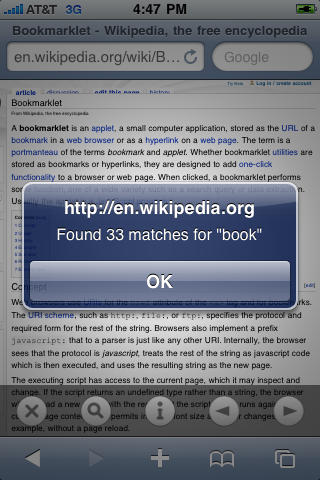
Mobile Safari is a lovely browser but lacks a few features, and one of those is Find-in-page. If you want to find a specific piece of text on a very long web page, you have to resort to third-party fixes.
There are a variety of bookmarklets, alternative browsers and add-ons around, but this latest one is a bit different. Although it’s basically just a bookmarklet, it’s being distributed as an app on the App Store, for a fee of 99 cents.
It’s called Find in Page, and just from the title you know what it does. Here’s a simple demo video:
What separates this from other bookmarklets is the extra interface controls that appear above Safari’s built-in navigation controls when you’re using it. They let you flick between instances of your search term, or start a new search, without having to start all over again.
The app itself simply adds the bookmarklet to Mobile Safari’s bookmarks folder; in theory, you need only run it once to do this, then you can delete it from your device. But you might want to keep it around in case your bookmarks get edited or lost and you need to add it again.

Giles Turnbull is a freelance writer in England. He also writes for the Press Association and The Morning News. You can find out more at his website, and follow him on Twitter @gilest.

