How To: Jailbreak iPhone 3G and iPod Touch G2 Using Redsn0w

How To: Jailbreak iPhone 3G and iPod Touch G2 Using Redsn0w

Warning: This method no longer works. To jailbreak the latest firmware, check out greenpois0n/limera1n/Pwnage Tool

Redsn0w by DevTeam allows you to jailbreak your device, to get complete control over it (see why you should jailbreak here). Currently, redsn0w version 0.9.5b5-3 allows you to jailbreak a device that has already been upgraded to firmware 4.0, without losing the jailbreak data. However, it will NOT unlock the device, enabling it to be used with different GSM carriers worldwide.

Please note that this tool will NOT work if you have ANY iPhone 3GS, newer iPod Touch G2 or the iPod Touch G3. (On the newer iPod Touch, serial number begins with ‘MC’.)

Ingredients:

  • An iPhone or iPod Touch updated to firmware 4.0, which meets the above requirements.
  • Firmware version 4.0 for iPhone 3G. (For iPod Touch, you must download it directly from iTunes using ‘Download Only’ option when prompted and then get it from /Users/yourusername/Library/iTunes/iPod Software Updates/ on a Mac or /yourusername/Application Data/Apple Computer/iTunes/iPod Software Updates/ on Windows).
  • iTunes 9.2 available here.
  • redsn0w 0.9.5b5-4 for iPhone 3G and iPod Touch 2G (Mac/PC).

Please backup all your information using iTunes before following this tutorial.

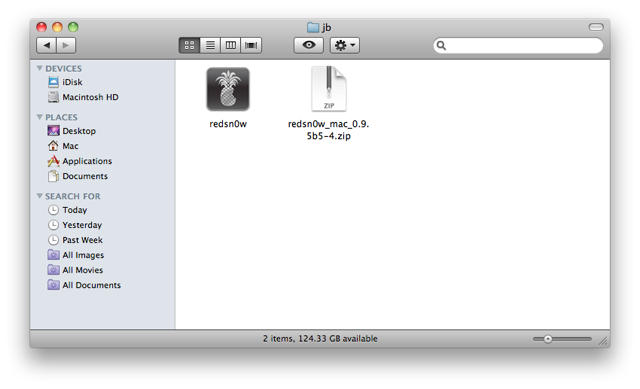
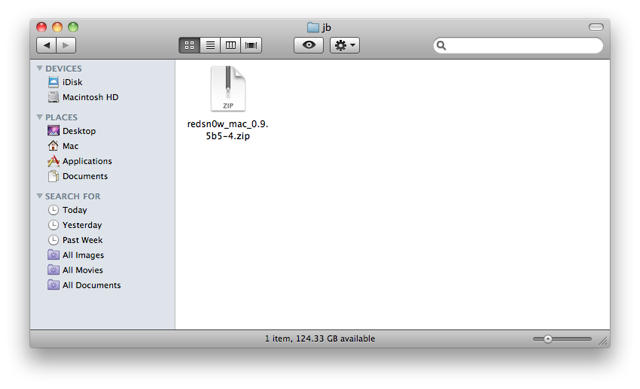
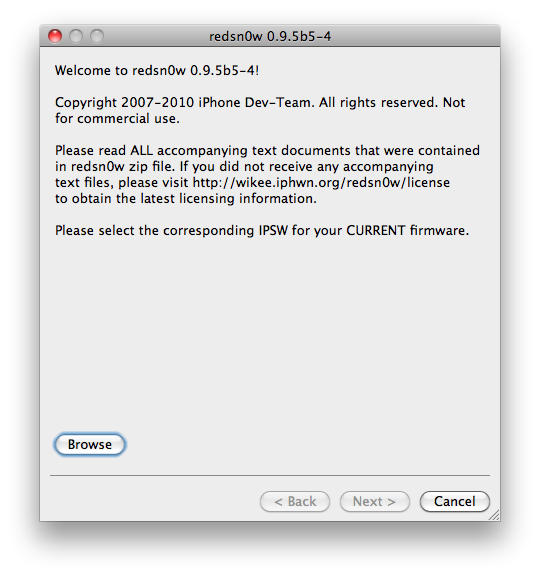
1. Download redsn0w and extract the ZIP. Double-click to open redsn0w application.
How To: Jailbreak iPhone 3G and iPod Touch G2 Using Redsn0w How To: Jailbreak iPhone 3G and iPod Touch G2 Using Redsn0w

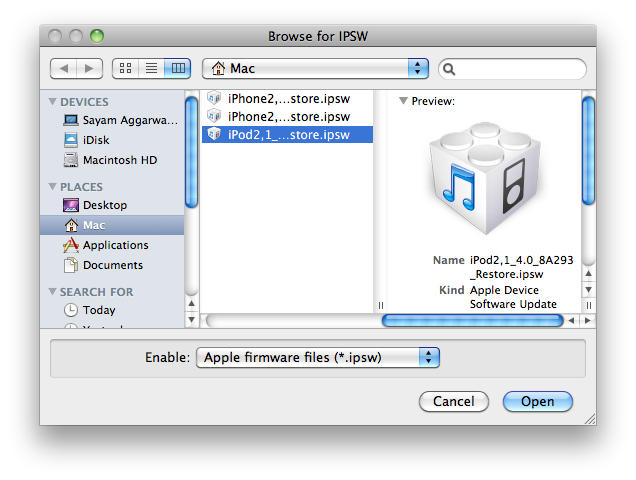
2. Click the ‘Browse’ button below the text, it will ask you to locate a firmware file, choose the 4.0 firmware for your device and click ‘Open’.
How To: Jailbreak iPhone 3G and iPod Touch G2 Using Redsn0w How To: Jailbreak iPhone 3G and iPod Touch G2 Using Redsn0w

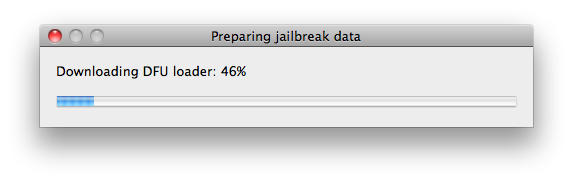
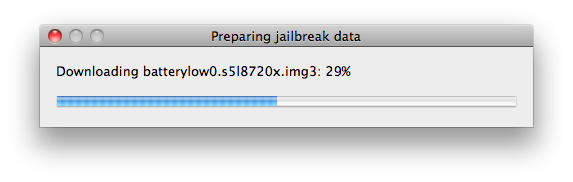
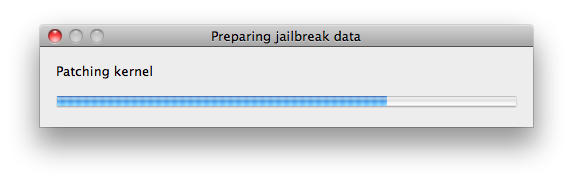
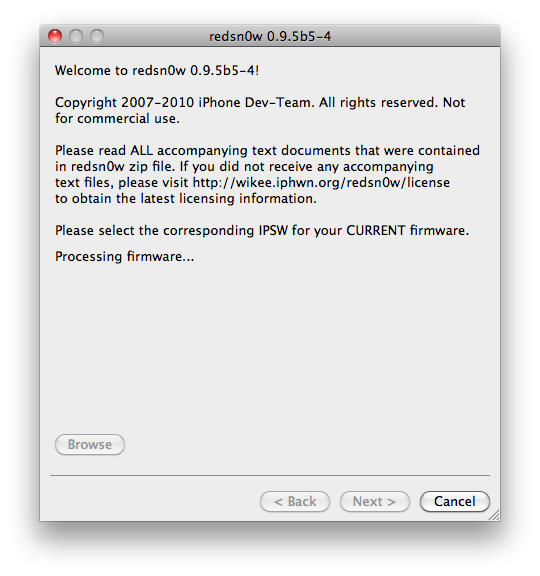
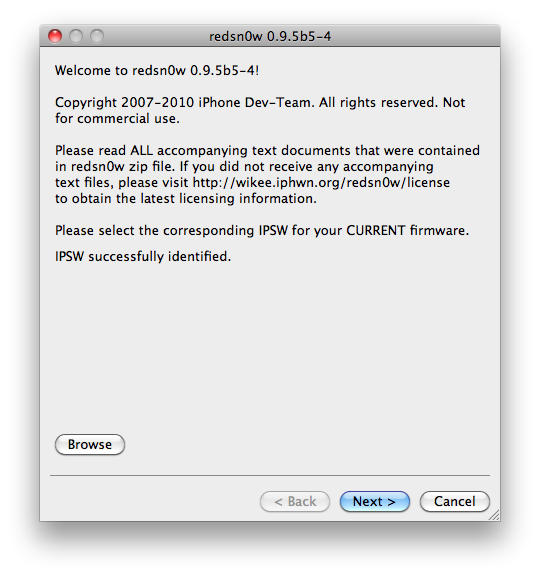
3. It will then process the firmware file. After it says ‘IPSW successfully identified’, click the ‘Next’ button located near the bottom-right and it will download some jailbreak data from the server.
How To: Jailbreak iPhone 3G and iPod Touch G2 Using Redsn0w How To: Jailbreak iPhone 3G and iPod Touch G2 Using Redsn0w How To: Jailbreak iPhone 3G and iPod Touch G2 Using Redsn0w How To: Jailbreak iPhone 3G and iPod Touch G2 Using Redsn0w How To: Jailbreak iPhone 3G and iPod Touch G2 Using Redsn0w

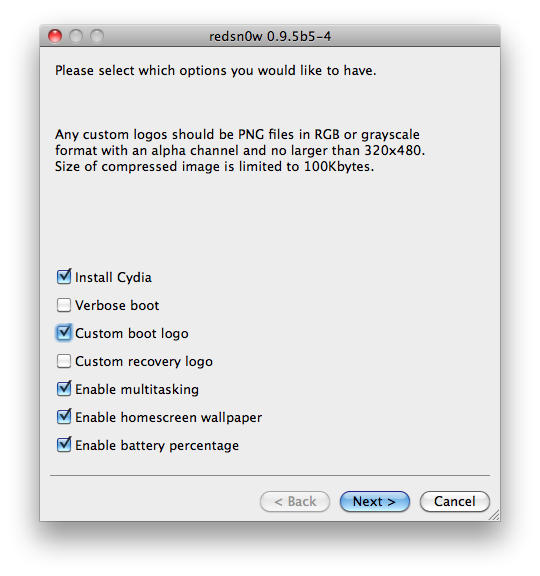
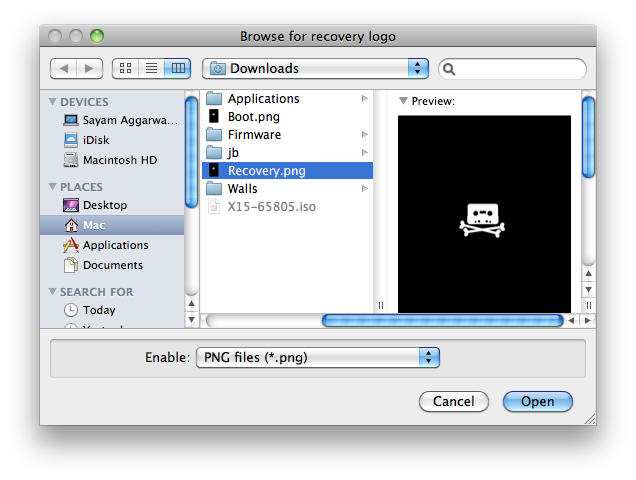
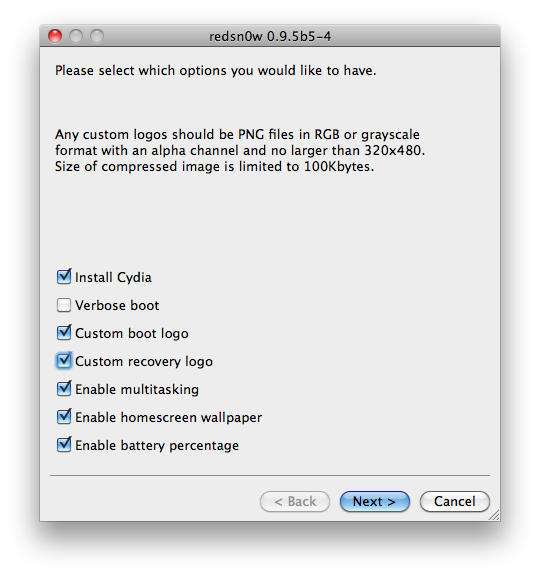
4. Then, choose if you want to install cydia, boot in verbose mode (for developers), enable multitasking, homsescreen wallpaper and/or battery percentage. If you want to install custom boot logos and/or recovery logos, choose the options and locate the particular image files, when prompted and click ‘Open’, make sure the logo files are as per the guidelines listed above and click the ‘Next’ button again.
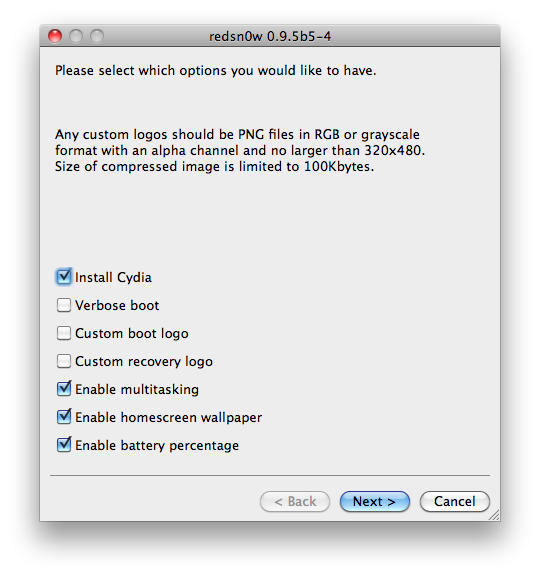
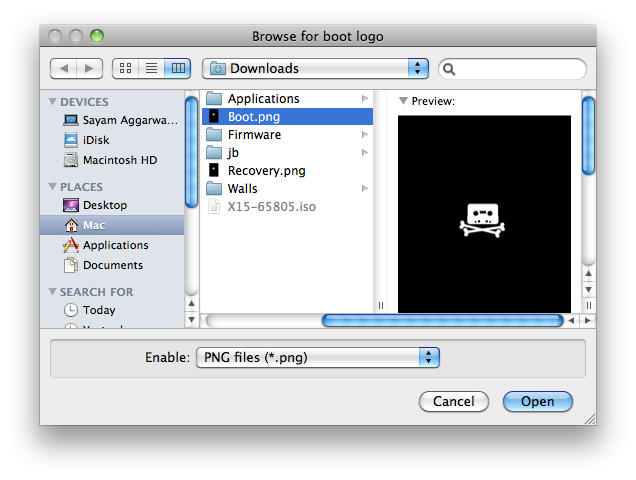
How To: Jailbreak iPhone 3G and iPod Touch G2 Using Redsn0w How To: Jailbreak iPhone 3G and iPod Touch G2 Using Redsn0w How To: Jailbreak iPhone 3G and iPod Touch G2 Using Redsn0w How To: Jailbreak iPhone 3G and iPod Touch G2 Using Redsn0w How To: Jailbreak iPhone 3G and iPod Touch G2 Using Redsn0w

DON'T MISS
How To Jailbreak iPhone 4 Using Redsn0w [Jailbreak Superguide]

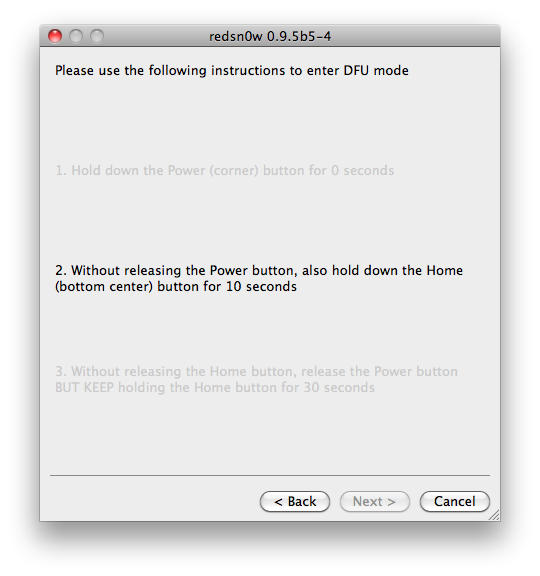
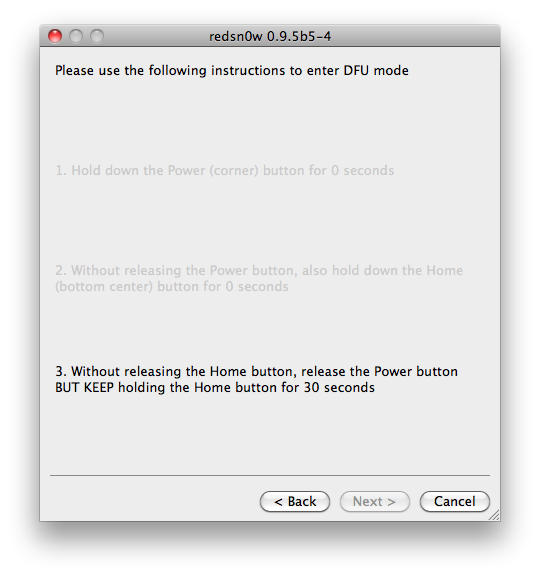
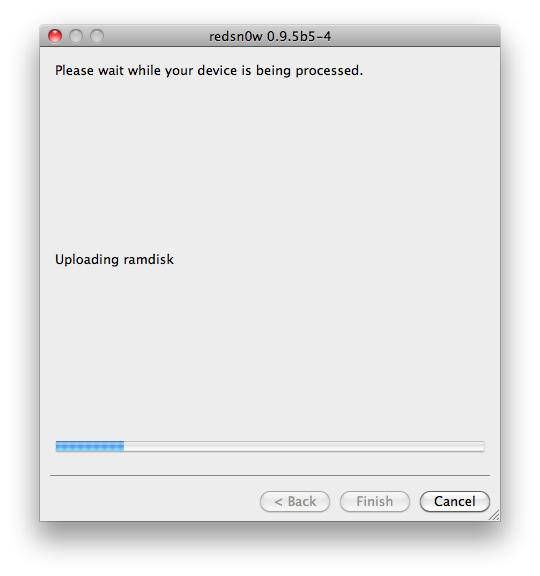
5. Now, it will ask you to connect the device to your Mac/PC and then turn it off, do so and click ‘Next’. Now follow the on-screen instructions to proceed.
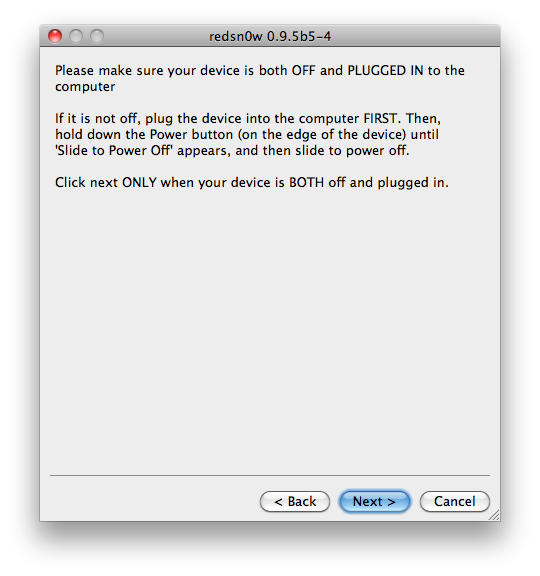
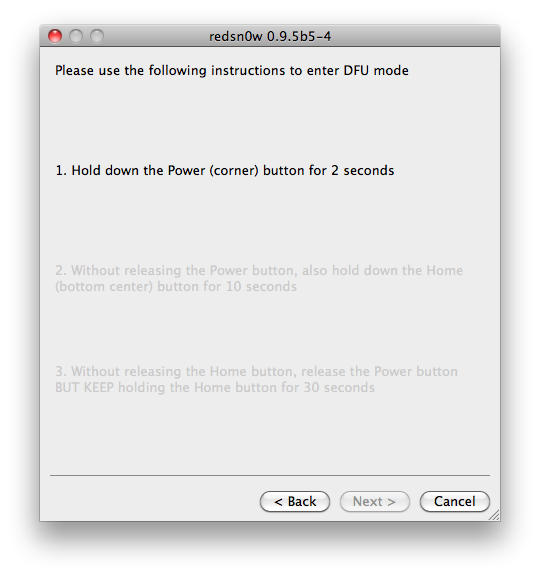
How To: Jailbreak iPhone 3G and iPod Touch G2 Using Redsn0w How To: Jailbreak iPhone 3G and iPod Touch G2 Using Redsn0w How To: Jailbreak iPhone 3G and iPod Touch G2 Using Redsn0w How To: Jailbreak iPhone 3G and iPod Touch G2 Using Redsn0w

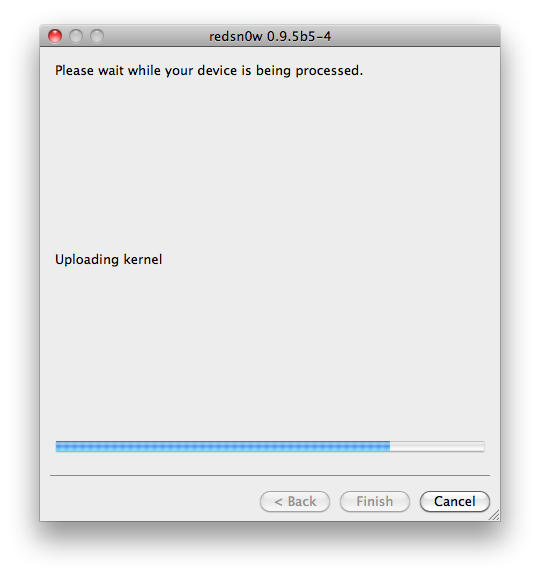
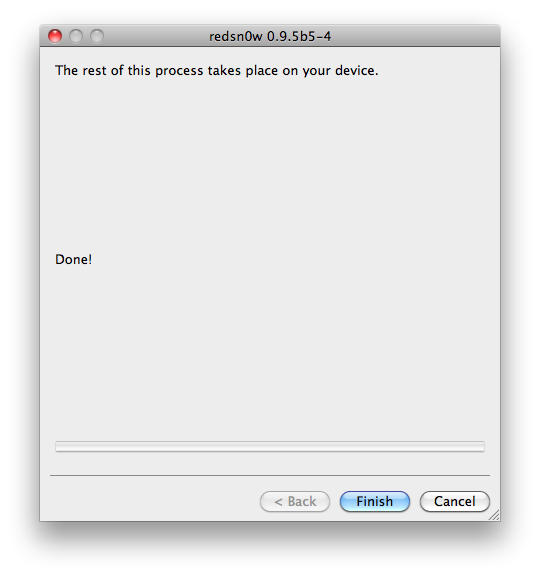
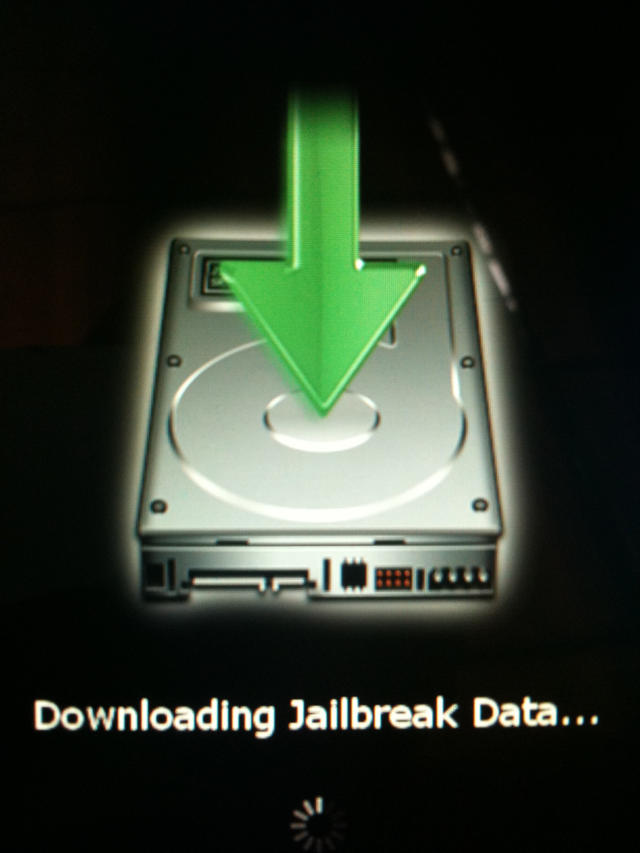
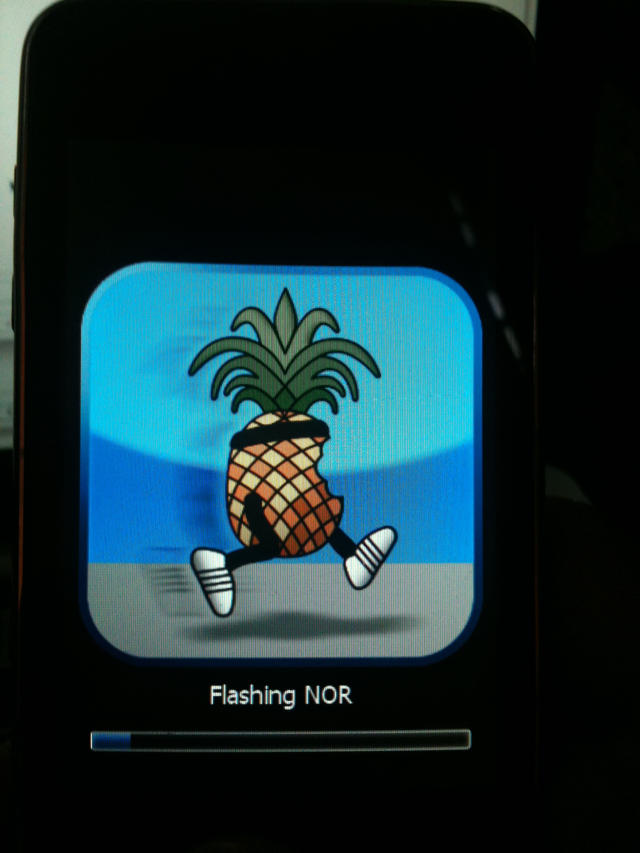
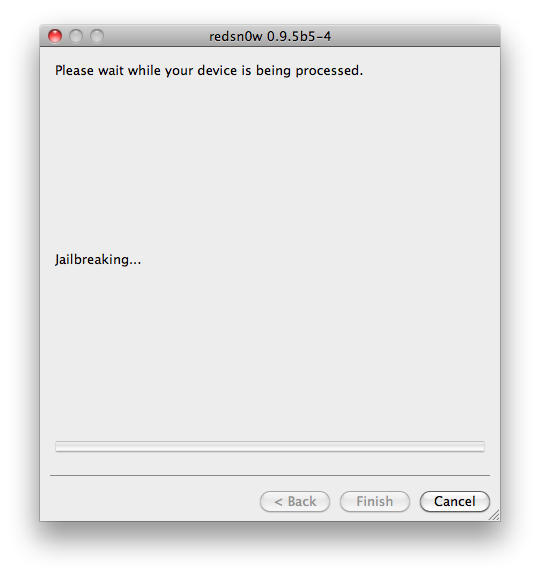
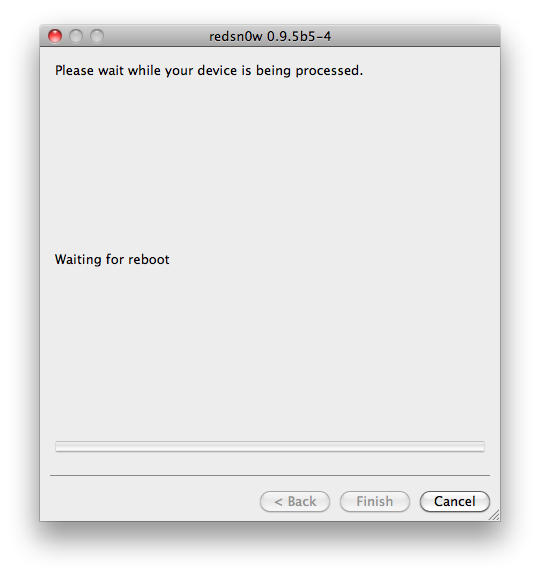
6. The device will reboot a couple of times showing ‘Downloading Jailbreak Data’ logo on the device’s screen, while redsn0w sends modified files to the device. When redsn0w is done, click the ‘Finish’ button and let the rest of process continue on the device, please be patient.
How To: Jailbreak iPhone 3G and iPod Touch G2 Using Redsn0w How To: Jailbreak iPhone 3G and iPod Touch G2 Using Redsn0w How To: Jailbreak iPhone 3G and iPod Touch G2 Using Redsn0w How To: Jailbreak iPhone 3G and iPod Touch G2 Using Redsn0w How To: Jailbreak iPhone 3G and iPod Touch G2 Using Redsn0wHow To: Jailbreak iPhone 3G and iPod Touch G2 Using Redsn0w

How To: Jailbreak iPhone 3G and iPod Touch G2 Using Redsn0w

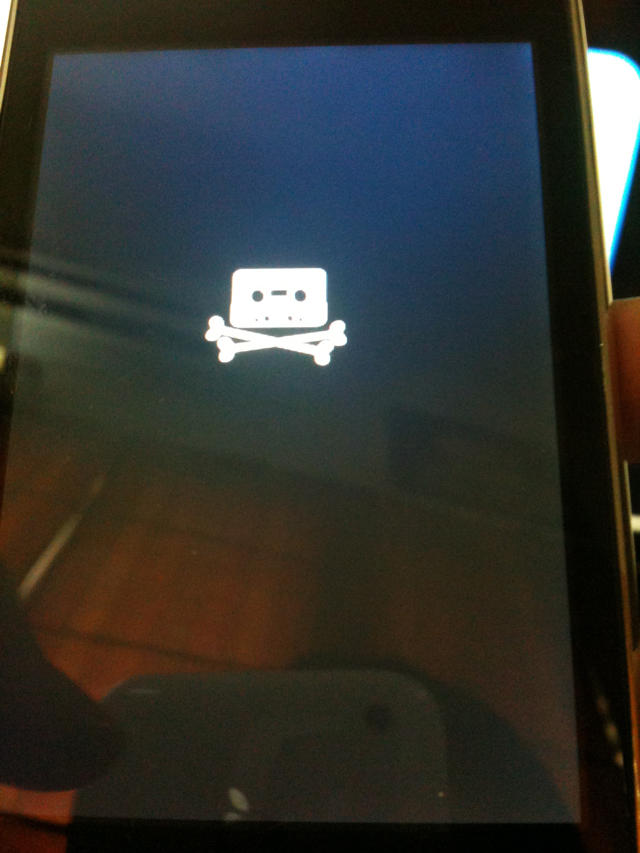
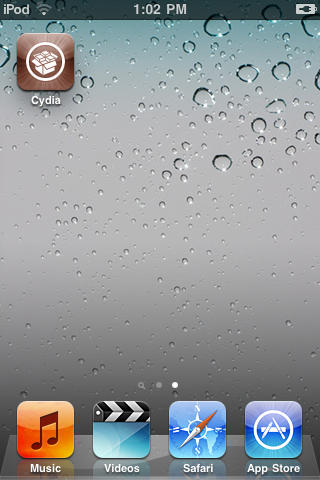
7. After it reboots, it might just go into the recovery mode. At this point, press and hold both home and power button till the screen goes off and now just press the power button to power it on. When it boots up, your device should now be jailbroken with Cydia on the homescreen.
How To: Jailbreak iPhone 3G and iPod Touch G2 Using Redsn0w

How To: Jailbreak iPhone 3G and iPod Touch G2 Using Redsn0w

All credit for the great tool goes to the DevTeam.

About the author

Sayam Aggarwal

Sayam Aggarwal is a 18-year-old student living in India who has been an Apple fan for almost 5 years. He has worked with ModMyi, one of the leading iPhone communities, as an author for more than a year. He spends most of his free time on the Internet fetching the latest news regarding Apple and its entire product range. Follow him on Twitter!


(sorry, you need Javascript to see this e-mail address)| Read more posts by .

Posted in How-To, iPhone, iPhone 3G, iPod Touch, Top stories |

  • rper

    yo there s a white screen on my iphone how long does this process take after i pressed on the done button

  • rper

    yo there s a white screen on my iphone how long does this process take after i pressed on the done button dosent work makes me pissed of and angry uggg fml help me

  • peter

    ok so i go to pick my .ipsw and it says to pick the 3.1.2 but i dont have 3.1.2 and in the “ingredients” it says ipod with 3.1.3 and 3.1.2 and idk what im lookin for here!! i have 3.1.3!! help please

  • Will

    Okay, I’m sure I clicked the right links for my iPhone 3G on my (black) macbook but it keeps telling me “Unable to recognize specified IPSW”. I am on a college campus with a firewall that usually blocks all torrent downloading and the like (totally sucks btw). Could that be why it’s not recognizing it properly?

  • Sayam Aggarwal

    @peter really sorry for that error. :( I just corrected it.

    You simply need a 3.1.3 device and 3.1.3 firmware too.

    @Will am not sure what the problem is.

  • ConfuRsed!

    This didn’t work for me, please help! My unlocked iphone 2G was still on 2.0 and i updated it to 3.1.3 and im locked out! stuck in emergency mode, and i had to put my sim card in a stupid samsung! When I try to use RedSn0w it keeps NOT recognizing the ipsw.

  • Sayam Aggarwal

    For those getting “Unable to recognize IPSW” error, use this version of redsn0w: http://iphwn.org/redsn0w-mac_0.9.3.zip for Mac and http://iphwn.org/redsn0w-win_0.9.3.zip for PC

    Sorry for the trouble guys.

  • http://heidilandrover.webeden.co.uk Starfighter

    It doesn’t work for me I’m afraid.
    Got everything in the “ingredients” (right versions etc.) but unable to get past the first hurdle: “Unable to recognize specified IPSW.” (sic)
    Also tried the alternative version (from Sayam Aggarwal, 16th Feb) of redsn0w but still no joy :¬(
    [MAC/iPhone 3G]

  • http://cultofmac.com/ Sayam Aggarwal

    Sorry guys, I wrongly typed 3.1.3 in the Ingredients section. You must use 3.1.2 in step 2 and not 3.1.3. Check the updated ingredients section for links to the correct files. :)

  • tomas Danko

    Ok, sayam, but where can I download 3.1.2 fw, if I have already installed 3.1.3? iTunes will not ask me for downloading 1.3.2 – do you have any suggestions or tips?
    I dont have 1.3.2 fw, so I dont know what to do…
    Thank you…

  • tomas

    I downloaded it from broken stones – EVERYTHING SEEM TO BE WORKING!
    Thank you so far :)

  • Will

    Sayam, thanks for the fix it’s working great! If only now i could make a decision among all these amazing looking apps…

  • aj

    I did everything right but just a white screen, what do i do??

  • http://garybenna.com Gary Benna

    On the ipod touch 3g do you mean serial number or model number. My serial number begins with 1A, my model number with WC. I just got this a week ago and it came with 3.1.3 already loaded on it. I hope someone can come up with a jailbreak. Thanks

  • Sayam Aggarwal

    “Please note that this tool will NOT work if you have ANY iPhone 3GS, newer iPod Touch G2 or the iPod Touch G3. (On the newer iPod Touch, serial number begins with ‘MC’.)”

    This means that model number thing is valid for new 2G iPod touch and for 3G ipod touch, it is impossible, leave alone the model number.

  • G1

    Sooo its not for Generation 1

  • Random :D

    It isnt for Generation 1 Right???

  • Matt

    So, I can’t get my iphone 2g into DFU mode no matter what I try. I’ve tried the steps in Redsn0w, and I’ve also tried hold them both for 10 seconds then release the power button and continue holding the home button. Is there a special trick?

    Hardware: iPhone 2g locked and unjailbroken.

  • Matt

    Oh yeah, using redsn0w 0.9.3 on a macbook pro with snow leopard.

  • Paige

    Tried redsn0w 0.9.3, stuck on window “please wait while your device is being processed”, “waiting for reboot”. Waited over an hour. decided to try redsn0w 0.9.2 version . Same scenarior. A window that popped up on both is a window saying the device can perform faster should I use a hub that could support hi-speed USB device. Not sure where that hub is. ???

  • manu

    So once I have completed the jail break. Where did all my apps go, and how do I get them back?

  • sajid

    hey any body help me to download the ipod touch 2g to upgrade 3.1.3 plzz any body give me tht link plzz

  • Sinani206

    I put my iPhone 2g 3.1.3 in DFU mode, but then was stuck on “waiting for reboot” on 0.9.4. Now i will try 0.9.3. If this doesn’t work I will be very upset

  • Sinani206

    works on 0.9.3

  • kirk

    i have an iphone 3g that is MB model, 5.12 baseband, 3.1.3 software, and i cant get it to work. ive downloaded several versions of the 3.1.2 (7d11) restore.ipsw files and run through the process over and over. for some reason with redsn0w it is going through the whole process of everything but its just not showing anything on my iphone screen. (like the hard disk picture that says something like jailbreaking device or something, and theres also a pineapple that i dont get either. it just goes to the stage where it says” Done! the rest of the process will take place on your device” and then nothing else happens. this phone was previously jailbroken with blackra1n then i upgraded to 3.1.3 by accident and i cant get it re-jailbroken. do i select already pwned? please help guys…..thnx.

  • abhi

    hi satyam

    i cant seem to see the ISPW in my documents

    please help :p

  • Terry

    Mate you better hope i dont bump into you one day because im gona give you the biggest kiss ever (and im as straight as they get) been trying for 3 days straight trying to unlock my phone, and not only is it now unlocked but its also running 3.1.3 perfectly. thank god!!!!!!

  • manish

    I unlocked my iphone 2g using redsnow. now it is not recognising my sim and also there is no option gor network/carrier in the settings. please help

  • Ross

    I did the RedSnow jailbreak last night on my 3G running IOS 4…. Worked perfectly, i now have multitasking, wallpapers, battery percentage and the Cydia store!

  • Michael

    Ross or Sayam,
    Recommendations on how to jailbreak the 3G running iOS4? what should I download/do and where can i find a version of redsn0w that recognizes the ipsw i have properly because it keeps failing to recognize my version. ? I’m new to this…

  • Sayam Aggarwal
  • Chuy

    I just followed the steps described above and it worked perfectly on my Iphone 3g, now I have all the functions from iOS4. Thanks!!

  • Steve

    I am stuck at where USB can perform faster during jailbreak explained above (second stage). Could any1 assist on this?
    Much appreciated

  • http://www.myspace.com/edgar_1256 Edgar

    graciiiiiiiiass thank youu

  • RayZ23

    It worked perfect for my 3g 4.0.1 but now my gps location does not work

  • JD

    Hi,

    I have a iphone 3G with IOS 4.0 on it? Can I use this process to unlock it?

  • Mr.Macchio

    Still new to the whole jailbreaking thing. I jailbroke my iPhone 3G way back when but have been afraid to update it since 3.1. Not quite sure how to do it without losing jailbroken apps. I would like to update to latest iOS but need a gentle push in the right direction. Any help/suggestions?

  • http://www.FixYouriTunes.com Fix Your iTunes

    So what do I do to jailbreak and unlock my iPhone 3GS? I want to buy the new iPhone 4 which I can now my contract is up and want to jailbreak and unlock the 3GS and sell it on ebay. I think I can get a good deal on it but is it safe to unlock and jailbreak phones? I’m hearing from folks here and there and noone seems to want to give me any advice but most folks are doing it. Any help is appreciated …

  • http://www.destroyrockandroll.com/ Destroy Rock And Roll

    Does anyone know if you can unlock and jailbreak an iPhone G4? Either way I have the iPhone 3GS and I love it but I’m tempted to upgrade to the iPhone G4 but something has been keeping me from doing it but I just might upgrade even though it’s got some probs. If I can jailbreak and unlock the iPhone 4G I just might. What do you think?

  • Thecoach14

    does this work? I tried Green POison yesterday and it wiped out my phone!