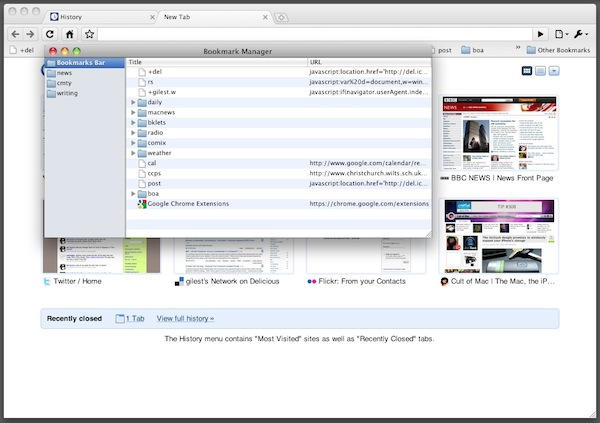
The dev channel version of Google Chrome for Mac has been updated with a long-awaited new feature: a bookmark manager.
Google refers to it as “rudimentary” and they’re right, it’s nothing terribly special. But it’s a start, and shows that Chrome is making excellent progress on the OS X platform.
And even more exciting, as far as I’m concerned, is evidence that Chrome’s smart address bar is capable of replicating, in a manner of speaking, the feature I love so much in Camino; the ability to assign custom text shortcuts to any stored bookmark. As I explained in this screencast a while ago, this Camino feature makes it really easy and really fast to trigger bookmarklets and other events by using address bar as a kind of command entry box.
Chrome’s address bar will display matches in your bookmark names as you type them. So if you have an “Add to Delicious” bookmarkmarklet (as I have), just typing that name in Chrome’s address bar will bring it up in the list of suggestions.
It’s not as swift as Camino’s version, which lets you pick a text shortcut for a bookmark as well as a title, and acts the instant you type the shortcut; but it’s pretty close.
Note: the dev channel for Chrome is called that for a reason. Be warned that dev channel software isn’t finished and might self-destruct at any moment.
(Via TechCrunch.)

Giles Turnbull is a freelance writer in England. He also writes for the Press Association and The Morning News. You can find out more at his website, and follow him on Twitter @gilest.

