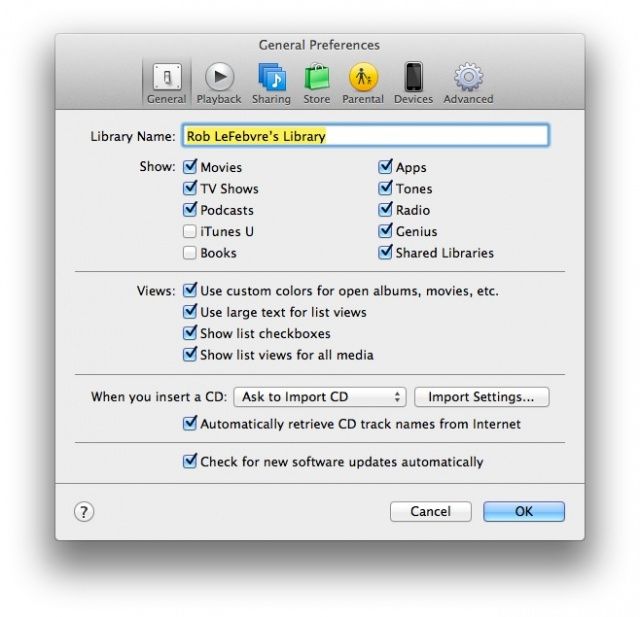
Loving the new look of iTunes 11, but wondering where some of the features you relied on are? Well, if you’re looking for Podcasts or Radio, the fix is fairly easy. Here’s how.
First, launch iTunes 11 from your Applications folder or Dock, and then head up to the iTunes menu. Choose Preferences with a click, or just hit Command-Comma on your keyboard. Once there, click on the General tab to the far left and you’ll see a section marked “Show:” just below the library name. Click on the Radio and the Podcast checkboxes and then click OK bottom of the window. Or just hit the Return key on your keyboard.
You’ll now see the Podcast tab in the sidebar, and the Radio tab above your media. Oddly, the Radio section will not show up in the sidebar, and the Podcast button will not show up across the top. You can also hit Command-4 to bring up your podcasts. Seems as if Apple is still struggling to unify things with the latest version of iTunes. At least we can get to our stuff now, though, right?
Via: OS X Daily

Rob LeFebvre is an Anchorage, Alaska-based writer and editor who has contributed to various tech, gaming and iOS sites, including 148Apps, Creative Screenwriting, Shelf-Awareness, VentureBeat, and Paste Magazine. Feel free to find Rob on Twitter @roblef, and send him a cookie once in a while; he’ll really appreciate it.

