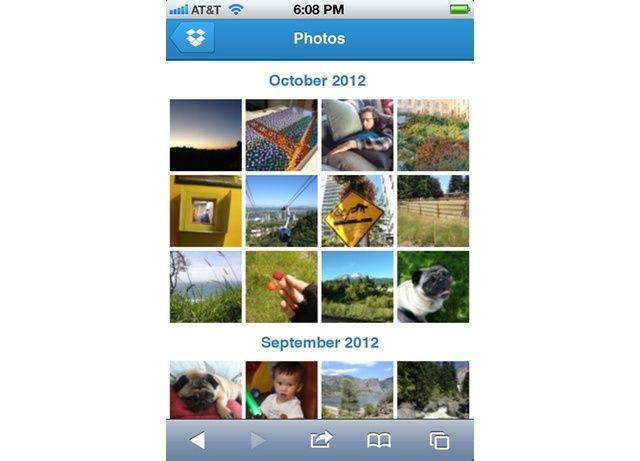
Dropbox photo-sharing just got a little more handy. Now, if you head over to Dropbox.com in Mobile Safari, you get a fantastic new mobile view which lets you swipe and tap your way through your photos.
The new light-box view is full-screen (with browser chrome), and photos are presented on a black background. Tapping takes you to the next web-optimized image, and icons at bottom right let you share the link, see the full-sized original, download a copy or delete the photo entirely.
It’s no Photo Stream, to be sure, but if you have struggled to find some sane way to organize the mess of photos coming from your iPhone, iPad and digital camera, then Dropbox makes a good deal of sense.
And this light-box view also makes the automatic Dropbox Camera Upload feature a lot more useful. Camera upload simply uploads every photo you add to your iOS camera roll to your Dropbox.
I have had it switched on because, well, why not? My 100GB plan won’t run out of space, and I understand Dropbox way better than I understand Photo Stream’s foibles. Now I can also browse my photos in this great new view, even from my horrible Android phone, it makes a whole lot more sense.
Source: The Dropbox Blog)

Charlie Sorrel writes reviews and how-tos. Follow Charlie on Twitter at @mistercharlie, and at micro.blog on @mistercharlie

