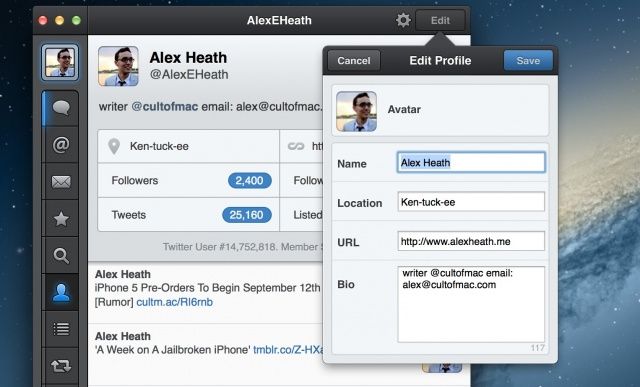
The Tweetbot for Mac public Alpha has received a significant update today that packs several new features, including the ability to edit a profile. Borrowing from the popular iOS version of Tweetbot, users can now setup muted keywords on the Mac. Many of you will be happy to learn that animated support for .gif images (like these) have been baked into this version as well.
Tweetbot Alpha 5 Changes:
- Please note due to Sandboxing requirements you must install this version manually (Click on “Learn More…” to download>
- This is the last version with 10.7 support
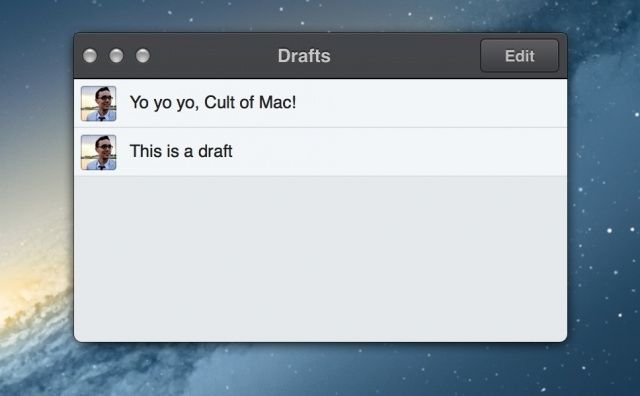
- Drafts window enabled (cmd-0)
- Edit Profile enabled (my profile tab)
- Mute Keyword enabled (mute tab)
- Drag/drop usernames and links
- Storify support enabled (conversation view)
- Animated gif support
- Fixed issues related to lists in columns
- Fixed some memory leaks
- Various bug fixes
As the change log notes, the newest Tweetbot for Mac has to be downloaded again to comply with Apple’s sandboxing requirements for the Mac App Store. When Tweetbot for Mac reaches version 1.0, it will sell for an unannounced price in the Mac App Store. The Twitter client will then be able to take advantage of full Notification Center integration and iCloud syncing across devices.
Notably, this is also the last version of Tweetbot for Mac that will run on OS X Lion. All future versions of the app will be Mountain Lion-only compatible.
The new version of Tweetbot for Mac can be downloaded directly from the Tapbots website.
Source: Tapbots
Via: The Next Web


