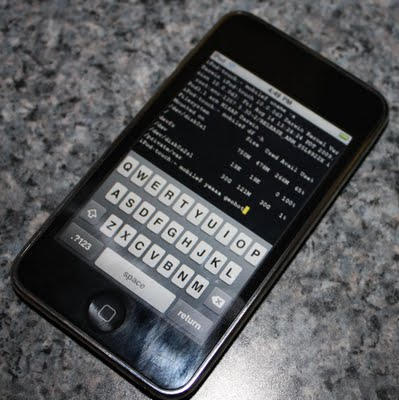
Blackra1n for Windows Is Released, But Unlock Not Supported

blackra1n_win_release

Blackra1n, iPhone hacker George Hotz’s software for 1-click jailbreaking, has been released for all existing iPhone and iPod Touch devices. However, it will NOT unlock the device, enabling it to be used with different GSM carriers worldwide.

Blackra1n is currently compatible with Windows only — or “all Windows that matter,” in GeoHot’s words. I am supposing that means Windows XP, Windows Vista and hopefully Windows 7 RC. Currently, there is no word on a Mac version — but it should be released soon as well.

What blackra1n does is… … jailbreak your iPhone or iPod Touch (any generation) with a single click in merely 30 seconds, making it the easiest jailbreak solution that ever existed. Now that’s a record timing I believe.

Although it does support iPod Touch 3G, there is only a tethered jailbreak for it, which means you need to use blackra1n every time you boot the device.

The sudden change was the result of a last minute problem – the exploit used doesn’t work ‘properly’ on the device. It will add an extra 30 seconds to the booting process but the bigger problem is you’ll always need to be close to a PC to boot up the device, or you loose all your jailbreak data including application, themes etc.

DON'T MISS
Blackra1n RC2 Is Released, ‘New’ iPhone 3GS And iPod Touch Now Supported

Blackra1n for Windows is available to download at blackra1n.com

About the author

Sayam Aggarwal

Sayam Aggarwal is a 18-year-old student living in India who has been an Apple fan for almost 5 years. He has worked with ModMyi, one of the leading iPhone communities, as an author for more than a year. He spends most of his free time on the Internet fetching the latest news regarding Apple and its entire product range. Follow him on Twitter!


(sorry, you need Javascript to see this e-mail address)| Read more posts by .

Posted in iPhone, iPhone 3G, iPhone 3G S, iPod Touch, News |

  • Marco Dal Moro

    Dear Sayam, the link pointing to the blackrain application for Windows doesn’t work because, as the programmer points out on his blog he doesn’t want direct links to it, he suggests to point to the website.

  • http://kopipengkau.blogspot.com/ Luke

    Worked on my Win 7 RC under 30 secs.

  • Marco Dal Moro

    Win 7: worked perfectly for me too

  • Nidz

    Will it work on the 1st gen iPod touch with a 3.1 firmware?

  • http://www.wintercs.com David

    @echo off
    color 1a

    :step1
    cls
    set /P c=Is your iPhone upgraded to 3.1.2? [Y/N]
    if /I “%c%” EQU “Y” goto :step2
    if /I “%c%” EQU “N” goto :upgraded-needed
    goto :step1
    cls

    :step2
    cls
    set /P c=Is your iPhone off and connected via USB? [Y/N]
    if /I “%c%” EQU “Y” goto :step3
    if /I “%c%” EQU “N” goto :turnitoff
    goto :step2
    cls

    :step3
    cls
    taskkill /f /im “iTunes.exe”
    taskkill /f /im “iTunesHelper.exe”
    if exist c:\blackra1n.exe goto :step4
    goto :goanddownloadit

    :step4
    start /high c:\blackra1n.exe
    cls
    echo 1) Click “make it rain”
    echo.
    echo.
    echo.
    echo.
    echo 2) Hold down home and power button, as soon as you see the apple
    echo logo release the power button, continue to hold the home button.
    echo.
    echo.
    echo.
    echo.
    echo 3) Release home button when you see geohots picture on your iPhone.
    echo.
    echo.
    echo.
    echo.
    echo When you’ve done 1 through 4 then your done. :)
    echo.
    echo.
    echo.
    echo.
    echo.
    pause
    goto :end

    :upgraded-needed
    cls
    echo Please upgrade your iPhone to 3.1.2 through iTunes then run this program again.
    pause
    goto :end

    :turnitoff
    cls
    echo Please turnoff your iPhone now and connect it via USB.
    pause
    goto :step2

    :goanddownloadit
    cls
    echo Please Visit http://blackra1n.com save blackra1n.exe to c:\ Drive.
    echo This program looks for c:\blackra1n.exe so please make sure it’s there.
    echo Once that’s done,
    pause
    goto :step3

    :end
    cls
    color
    exit

  • tony lewis

    Used blackra1n to jailbreak iphone s on 3.1.2 and was fine, until i used cydia and attempted to upload winterboard, was fine until it had to reboot, needed itunes to restore phone?
    any ideas

  • Sayam Aggarwal
  • http://yahoo.com elbert

    hello there,
    I successfully jailbroken my iphone using blackra1n and used it for months.I appreciated much your efforts for the benefits of the majority. But the other day, the phone doesn’t work anymore,the carrier has no signal(phone not supported) and I can’t arrange it or fix it. I do research but I accept my limitations.I can’t do ti! Can you help me pls?

  • A. Larry

    I recently crashed my phone by updating iTunes on my iPhone while using the Black ra1n. I was unable to complete recovery on my Windows Vista to run iTunes. I did get it back up but it sometime don’t recognize the phone or it just causes a long delay. Since I have done the update the phone causes iTunes to freeze up. I tried to re-install Black ra1n through the one click option but it never makes it to the ending screen. What to do now? In iTunes the server is trying to be contacted.