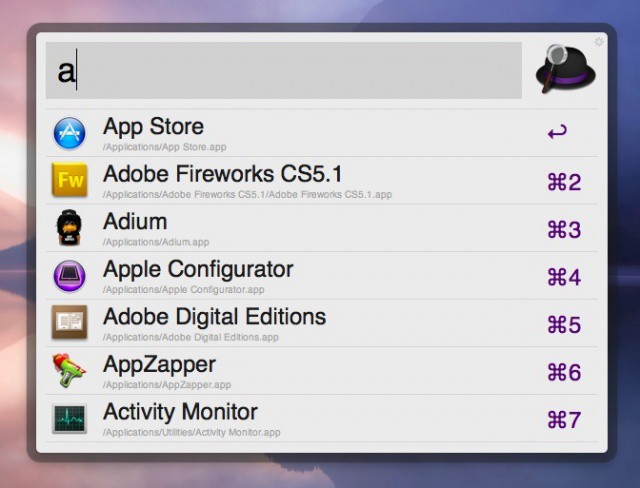
I’m a longtime user of Quicksilver. I mainly use it to launch apps without having to drop into the Finder and use the mouse, but I know it has a ton of other features that allow power users and geeks alike to work more productively. With the rumored demise of Quicksilver hitting the internets once in a while, I’m always trying out new launchers, which brings us to today’s tip.
Alfred is a productivity tool that allows you to keep your hands on the keyboard while launching apps, opening documents and files, or searching for contacts on your Mac. While Spotlight does something similar, Alfred takes it one step further, offering a command-key shortcut to select from the drop down list of files it finds for you.
To try this out, download Alfred for free from the developer’s website. Drag the application icon into your Applications folder and launch Alfred. Toggle Alfred to active status via the Menubar icon, or hit the hot key, which is defined in the Preferences–I chose Option-Space so as not to conflict with Spotlight or Quicksilver’s hot keys.
Begin typing the name of a contact in your Address Book. Notice how the contact list will populate with contacts that start with the same first letters you begin to type. You can use the arrow keys on the keyboard, or choose a command key combination to launch that contact. Alfred works the same way when launching apps, or opening files.
For more functionality, Alfred offers a PowerPack for sale, giving users a ton of extra features, including extensions, custom commands, file system navigation, and iTunes control.
[Source: Mashable]


