Snow Leopard Kinks: Photoshop CS4 Cursor Bug – NOW UPDATED WITH PROBABLE FIX

Update 2: Thanks to Cult of Mac reader Gus, who noted that certain websites were screwing up his Photoshop. I started playing around with Safari and noticed that sites with embedded Flash were causing the cursor issue. I then recalled Adobe UK PR bod Emma Wilkinson’s tweet from earlier today:

Info: Snow Leopard ships w/earlier version Flash Player, recommend all update to latest, more secure which supports SL http://bit.ly/yP2VA

Sure enough, after installing the Flash update, the problem seems to be gone.

I’ve been a quite vocal critic of Adobe of late, but I’m damn impressed with the company today—it looks like someone is listening, and that’s always a good thing.

Update: Kudos to Adobe. Shortly after this post went up, a ‘Senior Software Product Quality Specialist – Photoshop’ was in touch, and we’re now involved in a discussion to try and figure out what’s going on. Also, Nack is keeping people up to date regarding some of the reported CS3 and CS4 problems.

With any new operating system comes a certain amount of pain, but the transition to Snow Leopard has been relatively easy for me. I’ve had one incredibly nasty hard crash that locked up the Mac, painted vertical stripes down the screen and looped about a quarter-second of audio at maximum volume (it was like the iMac decided to do its own really small horror film), but nothing bad before or since.

DON'T MISS
Adobe CS3 ‘Not Tested’ on Snow Leopard; Many Industry Pros Could Halt Snow Leopard Upgrades

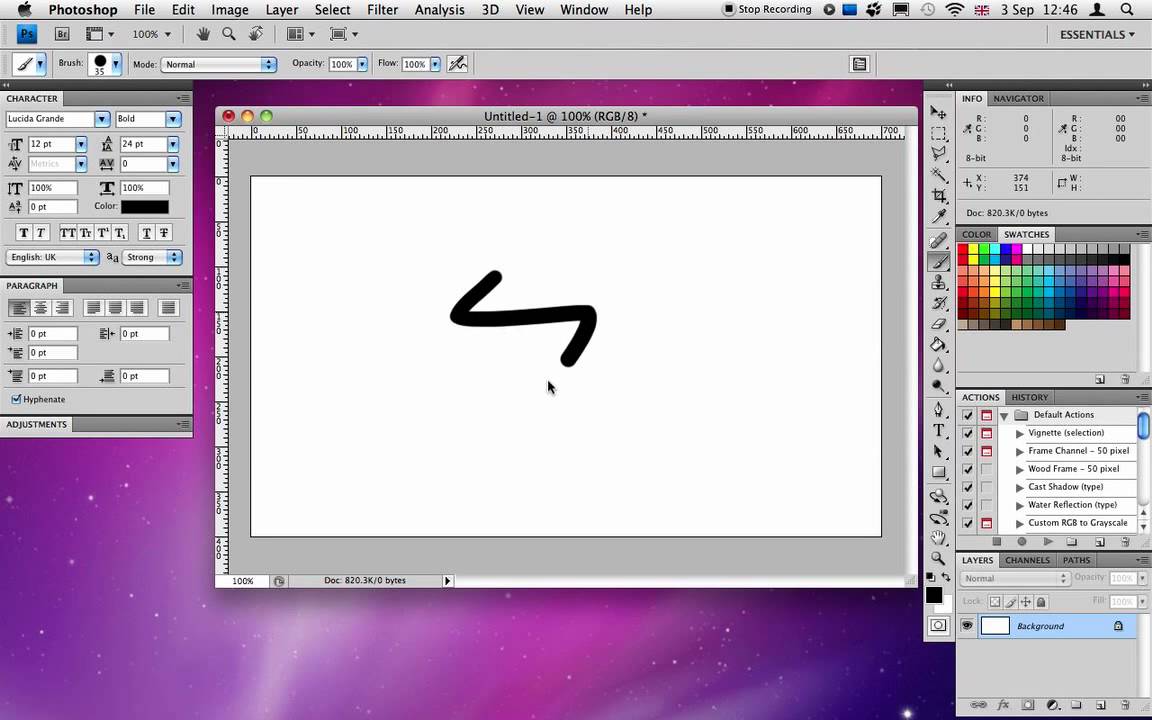
A minor exception is Photoshop CS4, which on the face of it works well, but is becoming increasingly quirky. Two bugs I’ve so far discovered that have hampered my workflow quite significantly are: 1) Photoshop deciding to ignore drags from Finder to its Dock icon—half the time, it opens just one of multiple documents; 2) insanely useful Photoshop custom cursors vanishing when the mouse button is held down.

For the latter of those things, I made a quick video (with an exasperated tone of voice). If anyone knows what the hell causes this and how to fix the bug, please post in the comments. (Note the hardware in this case is a 2.8 GHz Intel Core 2 Duo iMac.)

About the author

Craig Grannell

Craig Grannell is Cult of Mac's designer and an occasional contributor. He also runs iPhoneTiny.com, a Twitter-driven reviews site for iPhone apps and games. Follow Craig on Twitter @CraigGrannell and visit his website, Snub Communications.

(sorry, you need Javascript to see this e-mail address)| Read more posts by .

Posted in News, Software |

  • ead

    hmm have u tried verifying and fixing disc permissions?

  • ChrisKZ

    strange tried everything you said but i don’t have the problem. Have and 2.66 GHz Intel Core 2 Duo iMac. I did a clean install of 10.6

  • http://www.snubcommunications.com Craig Grannell

    Maybe my install over Leopard is to ‘blame’, but this never happened previously. Very odd. Having looked around the web, I’m not alone in experiencing this bug, but it seems pretty rare.

  • http://www.kazzmedia.com Kevin Cassidy

    have you repaired permissions?
    what kind of mouse do you use and is the software up to date?

  • http://www.burnleyfansteam.co.uk Kev Robinson

    I’m using CS3 and can drag from Finder to Dock icon, but can no longer drag from Safari to Dock icon- something I could do on Leopard.

  • http://www.snubcommunications.com Craig Grannell

    @Kevin Cassidy: All up to date. The same thing happens with my Wacom and with the standard Apple mouse.

    @Kev Robinson: The drag-from-Safari bug appears commonplace.

  • steve

    mine works ok, but have you tried futzing around with the gpu acceleration prefs in photoshop?
    maybe try turning it off, that stuff is pretty buggy?

  • Tanaus

    Same problem with cursor with my Photoshop CS4 and MacPro 2,8 quad

  • http://www.snubcommunications.com Craig Grannell

    None of the GPU stuff makes any odds. The problem’s also intermittent. Adobe’s now on the case though.

  • Gus

    I was having the exact same issue with the cursor switching to the arrow when clicking or painting. I just realized it only does it when I have pandora running in safari. If I close pandora the problem stops. If I run pandora in firefox the problem stops.. How completely bizarre!
    Craig, do you have any streaming websites running?

  • Gus

    Turns out your site causes the problem as well!

  • http://www.snubcommunications.com Craig Grannell

    Gold star for Gus. I can confirm that there’s definitely something odd happening with Safari and Flash websites. The problem only occurs maybe a second or so after websites with Flash content load and until said pages are quit. Hmmm…

  • Gus

    Flash update seems to have fixed it on my end as well. Score!

  • BillG

    I’ve had the same problem dragging multiple files to an icon, but with Combine PDFs. Always worked with Leopard, but with SL some files don’t seem to make it. I haven’t contacted Combine PDFs author yet, or Apple. I wonder if multi-file dragging is broken, and not the app per se.

  • BillG

    And sure enough, there is a discussion at Apple Support concerning multiple-file dragging problems:

    http://discussions.apple.com/thread.jspa?messageID=10122419#10122419

  • jcpouce

    Thanks for the post. Installing Flash fixed the very same issue (cursor bug). Thanks for the tip.

  • Simon Goss

    I had so many issues with CS4 (photoshop, acrobat and Illustrator) crashing in Snow Leopard that I had to revert to 10.5.8. Thank god for time machine backups!

  • fmertz

    I get exactly the same thing on Mac OSX 10.5.8 so Snow Leopard is apparently not involved.

  • http://www.snubcommunications.com Craig Grannell

    As noted elsewhere, the cursor issue was down to a clash with the Flash plug-in—updating it solved the issue.

  • Matt Morning

    I had the same problem with my brushes turning into the arrow after I updated to snow leopard. And too my superise when I closed Pandora the problem went away.

  • pixl8r

    Third party mice and keyboards are notorious for cursor and input issues. I have a Logitech Performance MX utilizing the latest Controller software. If I boot into 64 bit and the mouse goes over a Finder window that is in column mode, look out, the mouse suddenly is on LSD. Same thing happens with Excel documents. What really made me post here was reading about the quirky cursor over the Dock. This too occurs in 64 bit, run the cursor over the Dock and Icons start “Poofing” away. It seems that third party input devices do not operate consistently, or as expected either on 32 bit or 64 bit Snow Leopard, with 64 bit being the worse.

