Opera 10 is now available for download, and in the screencast I share some of my first impressions of the new tab design and features.
After recording that screencast, I did a little more exploring. One new innovation is Opera Turbo, a neat idea that I shall look forward to trying next time I’m away from a wifi connection. Once enabled, Turbo compresses the web pages you request and therefore speeds up browsing over slow connections. Opera says it enables “broadband-like speeds”; I’d be interested to hear if any of you have put it to the test.
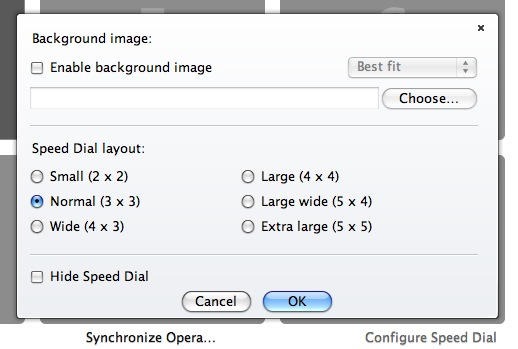
Another new feature allows customization of Speed Dial, which is similar in behavior to (but predates) Safari’s Top Sites. The new Speed Dial can be switched between a variety of layouts, and lets you set your own background image too.
Opera has always been an excellent browser, and in my opinion is well worth having installed. Even if you don’t use it as your default, there are times when its unique tools and capabilities come in extremely useful.

Giles Turnbull is a freelance writer in England. He also writes for the Press Association and The Morning News. You can find out more at his website, and follow him on Twitter @gilest.

