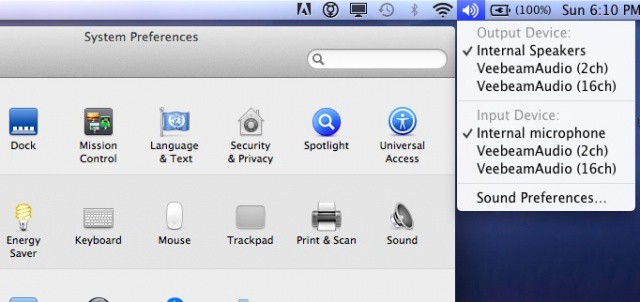
Ever need to quickly change audio input or output settings on your Mac, but don’t want to hop into the System Preferences, find the Sound preference pane, then click around the tabs? Maybe you’re in the middle of a super important presentation and just need the sound to work for that amazing video you’re sharing? Well, todays quick tip will have you blasting the audience’s eardrums in no time.
File this tip under “incredibly simple yet not directly obvious,” as many little operating system features can be.
Typically, when you click on the sound icon in the menubar, you get the volume slider, right? Simple, easy, and effective. Interestingly, though, when you hold the Option key down and then click on that very same icon, you’ll get the Input and Output options for your Mac. You can then easily select the Input or Output option you require for your needs, and be done with it.
[Source: Mac OS X Tips & Tricks]


