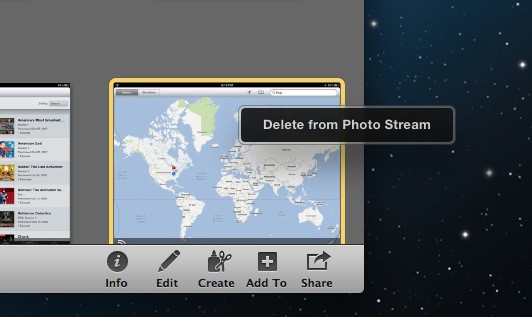
Following the release of iOS 5.1 and the long-awaited ability to delete individual photos from Photo Stream, a new version of iPhoto for Mac has been released with the same feature. You can now delete photos from your iCloud Photo Stream on all of your Apple devices and have your changes synced instantly.
iPhoto 9.2.2 for Mac is now available in the Mac App Store for free. The update weighs in at a hefty 354.57 MB.
Included in Version 9.2
- Addresses compatibility with iCloud and iOS 5
- Left and right swipe gestures can now be used to navigate between photos in Magnify (1-up) view
- Previously imported photos are now displayed in a separate section of the Import window
- Book/calendar themes and card categories can now be selected using a pop-up menu in the carousel view
- Resolves an issue that could cause some pages of books to print incorrectly
- Rebuilding a library now correctly preserves saved slideshows and books
If you’re like me, you’ve had a ton of screenshots and other useless photos in your Photo Stream that you’ve been wanting to delete. Now you can. Previously, you had to completely reset Photo Stream from the iCloud web interface to clear your entire Photo Stream.
iPhoto for Mac can be installed on any computer running OS X Lion for $15. Apple released iPhoto for iOS today, and it’s available in the App Store for $5.

Alex Heath is a journalist who works for Tech Insider. He’s the former co-host of The CultCast. He has been quoted by the likes of the BBC, KRON 4 News, and books like “ICONIC: A Photographic Tribute to Apple Innovation.” He lives in Lexington, Kentucky. If you want to pitch a story, share a tip, or just get in touch, additional contact information is available on his personal site. Follow him on Twitter.

