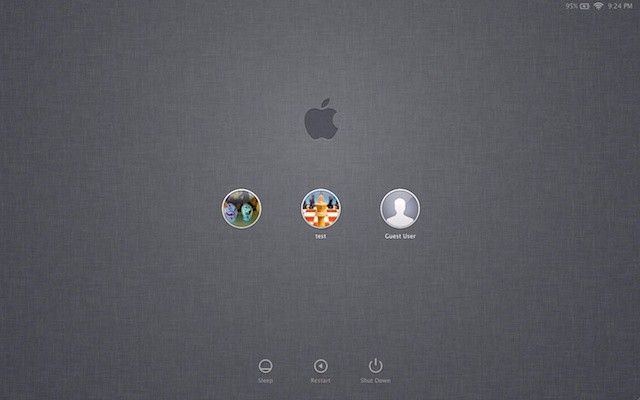
Yeah, that gray linen login screen looked cool when it first appeared in OS X Lion, but honestly? It’s gotten a bit bland. As is typical of Apple, of course, there’s no built in way to change it. We’ve found two ways, one that messes with the system files (you’ve been warned!) and one that uses a third party app to allow us all to have even more pictures of LOLcats on our computers. Or, you know, our kids or pets or something.
Anyway, the background for the login screen is in an odd place:
/System/Library/Frameworks/AppKit.framework/Versions/C/Resources
Go into the finder and click the Go menu, and select the Go to Folder menu item there. Paste the above line (you did copy it, right?) into the resulting dialog box and the Finder will take you there, without even asking for cab fare. The file to replace is named NSTexturedFullScreenBackgroundColor.png, and if it gets replaced with a file named exactly the same, the login screen will show the new image instead at login. Be a safety-first computer user, of course, and save the original file elsewhere in case something goes horribly wrong. Let the Google Image scraping begin!
As the original image is only 256X256 pixels square (it tiles across the whole screen), a similar image file will need to be created. Or, better yet, grab a favorite screen grab from the latest Doctor Who series and use Preview to make it the same pixel size as the monitor being used (my Macbook Air is set at 1366X768) with a resolution of 72 dpi. Save it in png format, just like the first file, and viola! Internet-meme-a-licious!
The other, less hacker way to do this is with a little app called Loginox (thanks, Addictive Tips!), which allows users to drag and drop a new image onto a window, a la the Desktop Picture preference pane in OS X itself.
Source: [Mac OS X Tips]

Rob LeFebvre is an Anchorage, Alaska-based writer and editor who has contributed to various tech, gaming and iOS sites, including 148Apps, Creative Screenwriting, Shelf-Awareness, VentureBeat, and Paste Magazine. Feel free to find Rob on Twitter @roblef, and send him a cookie once in a while; he’ll really appreciate it.

