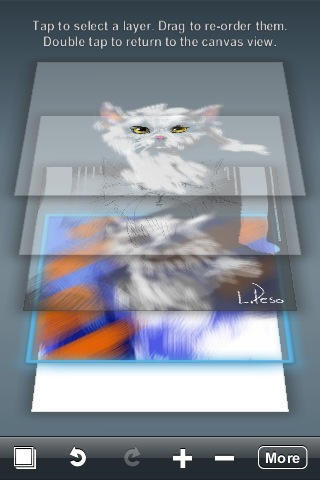
If you’ve been inspired by David Hockney’s iPhone paintings or the New Yorker cover, you know that doodling on your device can be more difficult than it looks.
At least if you want results that don’t completely suck.
Enter a blog called fingerpainted.it, headed by freelance web designer Benjamin Rabe. He and a band of 11 creatives, including prolific iPhone artist Matthew Watkins, share tips, artwork and tutorials.
The how-tos show just how much dexterity and thought go into these mini-masterpieces; Luis Peso’s demonstrative cat sketch in the above Layers app tutorial has about seven steps.
A lot of the art is done with the Brushes app, but artists use a variety of tools including Layers, Jackson Pollock, Kandinsky Lite, Photofx. The tutorials show you how to start with Kandinsky, move to Pollock and end up with something entirely different, like this vibrant iPhone work by Patricio Villarroel.
While there are plenty of places to ogle iPhone art — flickr groups especially — fingerpainted seems to give the most info on how to get from art-icapped to art.


