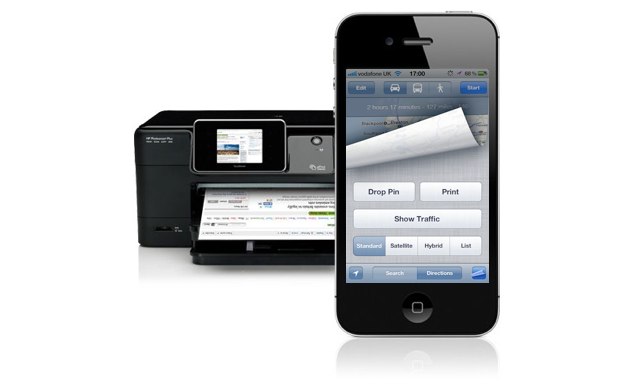

Having the Maps app on the iPhone is a lifesaver for me. Not only does it help me navigate my way around places I don’t know, but it’ll also tell me how to get there when I leave the house.
However, trying to read directions from an iPhone while driving isn’t ideal, and it’s certainly not safe. Fortunately, iOS 5 allows you to print your directions from directly within the Maps app as long as you have a printer compatible with AirPrint. Here’s how!
To do this, open up the built-in Maps app and begin by tapping the ‘Directions’ button at the bottom. By default, your directions will automatically start from your current location, and the app will assume you’re driving a car. But you can change these if necessary.
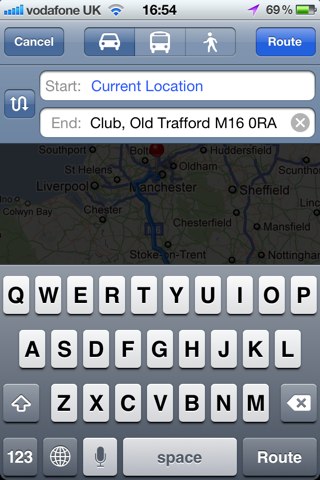
Once you’ve told the app where you want to go, simply hit the ‘Route’ button in the top right-hand corner. The app will then calculate your route and present you with your directions.
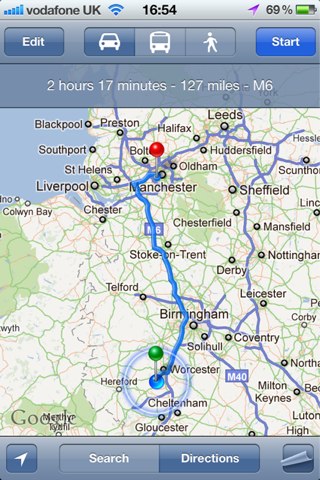
Now tap the options button in the bottom right-hand corner. Your map will curl up and you’ll find there’s a ‘Print’ button underneath — tap this!

Now you can select your printer. It must be compatible with AirPrint or your iPhone will not find it. However, you can use an application such as Printopia on your Mac to connect to standard printers.
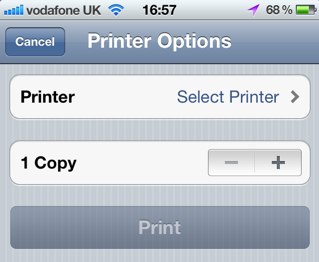
Once you’ve selected your printer and the number of copies you’d like to print, simply hit the print button and your directions will be on their way.

Killian Bell is a freelance writer based in the U.K. He has an interest in all things tech and also covers Android over at CultofAndroid.com. You can follow him on Twitter via @killianbell.

