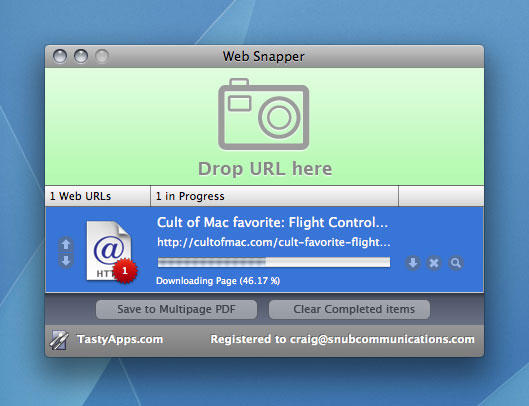
Cult of Mac favorite: Web Snapper (Mac OS X utility)

web-snapper-fave

What it is: A wee utility for downloading web-page grabs.

Why it’s good: Web Snapper enables you to save unbroken grabs of a website in a variety of formats, exactly as they appear in your browser. This beats direct printing to PDF from the likes of Safari, which rarely retains styling, and Web Snapper also betters its rivals, due to its excellent interface. (That said, if you’re counting the pennies, take a look at donationware effort Paparazzi!, which offers broadly similar functionality.)

Where to get it: Web Snapper is available from the Tasty Apps website, and is priced $14.99.

DON'T MISS
50 Mac Essentials #30: Notify

About the author

Craig Grannell

Craig Grannell is Cult of Mac's designer and an occasional contributor. He also runs iPhoneTiny.com, a Twitter-driven reviews site for iPhone apps and games. Follow Craig on Twitter @CraigGrannell and visit his website, Snub Communications.

(sorry, you need Javascript to see this e-mail address)| Read more posts by .

Posted in Reviews, Software |

  • Amy

    Just wondering how is this different from the “Save complete page as: from Firefox

  • http://motionbug.com rob

    LittleSnapper does this and more! You can add annotations, arrows, and have libraries of photos! And I think its the same price! Go check it out at
    http://www.realmacsoftware.com/littlesnapper/

  • Steven Teo

    ya, this will say ScreenGrab! for ff addon will do the same thing at no cost?

  • Thermidor

    I’ve used both Paparazzi and Little Snapper. LS has a couple of clear advantages. One, it saves its captures as PDF, not PNG, so you can at least copy blocks of text. This happens to come in extra-handy when you encounter a site that blocks selecting and/or copying of text. Just save in LS, and the resulting PDF has no restrictions. Little Snapper can also install a small button in Safari’s windows. The little camera button sits there until you want a quick capture. You press it, you’re done. Press again, and again, and when you’re ready, you can view the list you’ve made and save separately, or as multi-page PDFs.

    Paparazzi works very well, but I no longer use it.

  • Steve

    What’s wrong with Save As Web Archive in Safari already? If you want it to look exactly like it does on the web, as a file.

  • James

    Camino does the same. Saves and archives it all.

  • http://www.snubcommunications.com Craig Grannell

    I think some people are missing the point regarding this app and similar ones. This isn’t about saving a chunk of a website to a local version—it’s about creating an offline archival format that’s easy to send around. PDF is perfect for saving web pages that can then have the text selected and links clicked. People doing research can benefit, as can designers who need grabs of entire pages (rather than just the view window).

    As for Paparazzi and LittleSnapper, Paparazzi saves to PDF on its most recent version, and LittleSnapper is $39, which is some way above Web Snapper’s price-point. However, given that I’ve not used LittleSnapper all that much, I don’t feel I can really comment on it.

