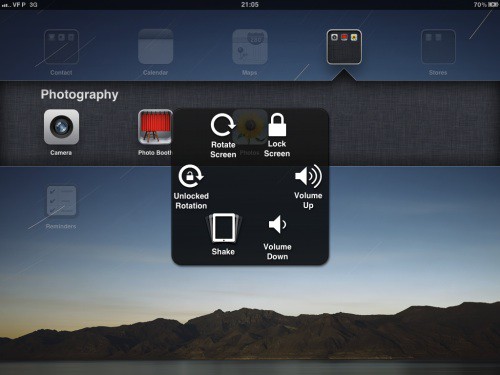
This is included in our what’s new in iOS 5 Beta 3 post, but its so cool we thought it deserved separate highlighting.
In the new beta, Apple has activated the “Assistive Touch” settings pane for the iPad (but not on the iPhone or iPod Touch). Update: This works on the iPhone 4, but not my iPod Touch third-gen.
The new feature allows you to activate a menu overlay on the iPad by pressing on a designated corner of the dock after clicking the Home Button twice. This menu then allows you to trigger all of the iPad’s functions just by tapping an icon.
So let’s say your iPad’s gyroscope or rotation is broken, or won’t detect the lock switch. Now, you can just tap the iPad’s home button twice, tap a corner in the dock and trigger that function on the handy overlay that pops up.
Very neat, and very useful for troubleshooting, even if you don’t need the function for accessibility reasons.
[via MacRumors]


